DESIGNING AN XR EXPERIENCE FOR PHYSIOTHERAPY EDUCATION
TL;DR
Led the UX and interaction design of an empathy-building XR experience for physiotherapy education in collaboration with Amsterdam University of Applied Sciences. Working in an interdisciplinary Scrum team, the project explored how VR, AR, and physical simulation tools could help students experience age-related physical and visual limitations through embodied interaction. The outcome was a fully functional XR learning experience featuring immersive onboarding, interaction design, environmental design, and accessibility-focused UI, delivered for use within the physiotherapy program to support experiential learning in healthcare education.
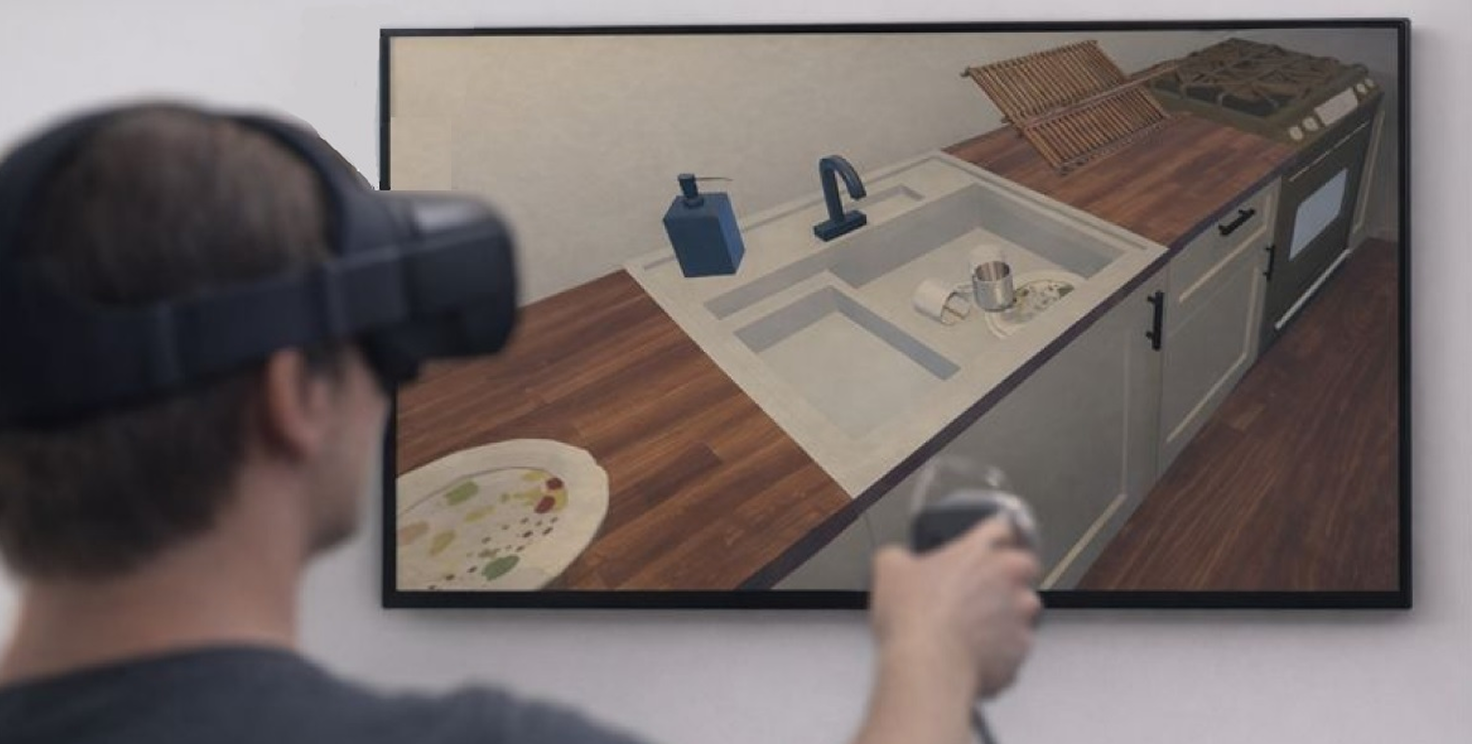
DISCOVER
Context
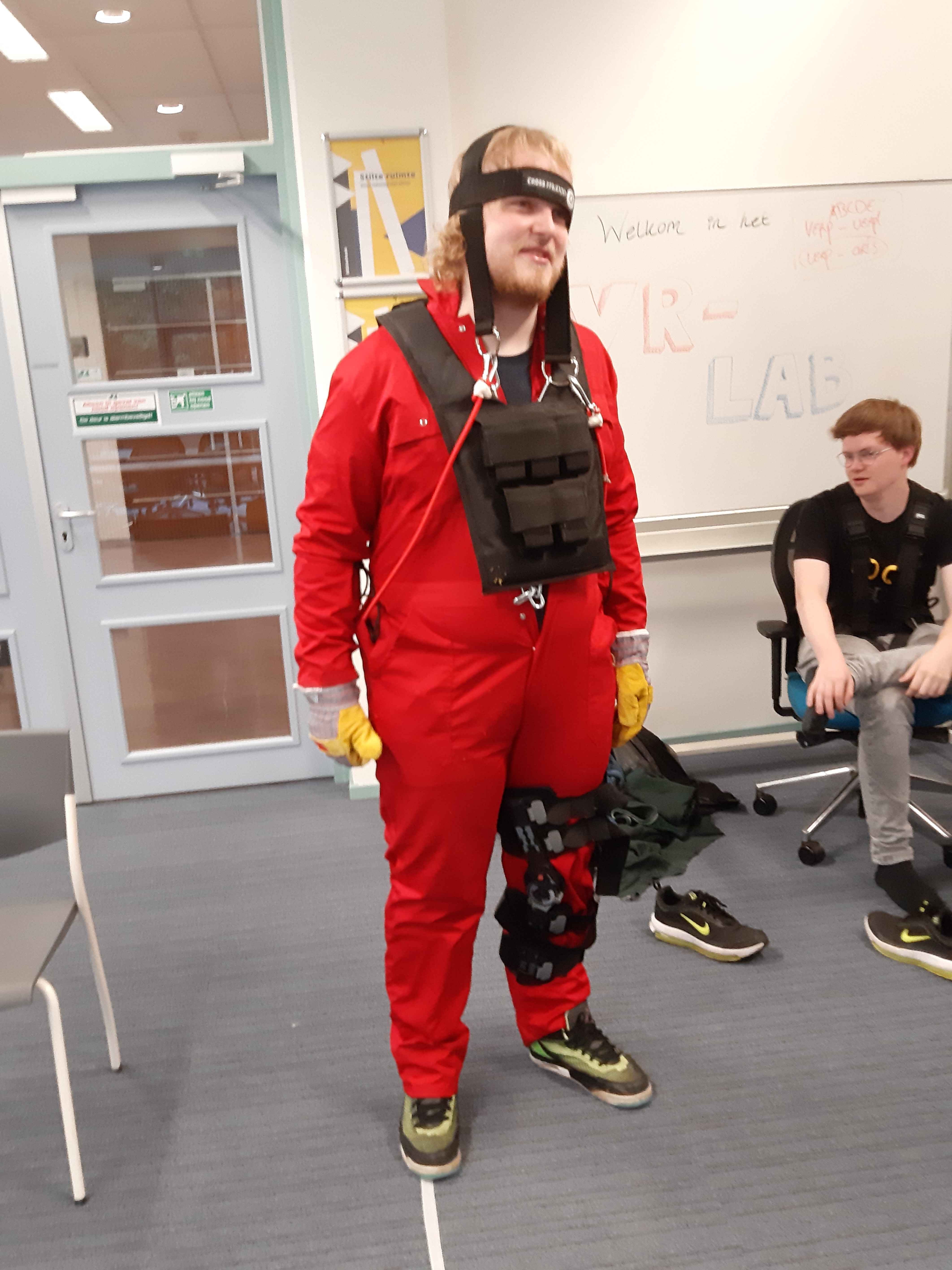
As part of their first-year education, physiotherapy students are introduced to the physical limitations that often come with aging. Traditionally, this is done using tools such as elderly suits and glasses that simulate reduced mobility and visual impairments.
While these methods provide valuable insight, the education team wanted to explore how immersive technologies could extend this learning. The goal was to create a more situational and embodied experience, where students don’t just observe limitations, but actively experience them through everyday actions.
Problem Space
Empathy is difficult to teach through theory alone. The challenge was to design an experience where students could feel physical limitations through interaction, not just understand them conceptually.
At the same time, the experience needed to work for users with little or no VR experience, be structured enough for educational use, and feel realistic without becoming overly complex.
Why XR
VR was chosen to support embodied and situational learning. By placing users inside a realistic environment, they could perform everyday tasks while experiencing physical constraints.
This was further strengthened by combining VR with elderly suits, allowing students to experience both digital and physical limitations at the same time.
AR was explored as a complementary layer to simulate visual impairments. Together, these technologies created a learning experience based on doing rather than observing.
Collaboration & Process
The project followed an iterative Scrum process with three-week sprints. As project lead, I facilitated UX and interaction design discussions, led workshops to explore complex problems, and created planning documents to align the team.
Working in an interdisciplinary team of designers and developers required constant communication and adaptation. I often adjusted design decisions based on technical constraints while maintaining the intended experience.
My role also involved creating structure and clarity within the team, which helped keep the project aligned despite different disciplines and workflows.
DEFINE
Problem Definition
How might we design a VR experience that helps physiotherapy students understand physical limitations through interaction, while remaining intuitive, realistic, and accessible for first-time users?
Design Goals
The experience needed to feel familiar and grounded in real life, while still being easy to navigate in VR.
It should support learning through action rather than instruction, reduce cognitive load for first-time users, balance realism with usability, and guide users without breaking immersion.
DEVELOP
Environment Design
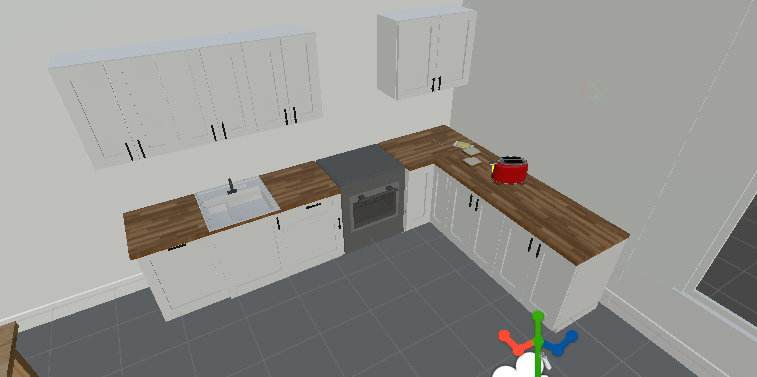
The experience takes place in a kitchen, a familiar environment filled with everyday tasks. We chose this setting because it naturally involves a wide range of movements such as reaching, bending, carrying, and placing objects. These actions make physical limitations more noticeable, even in simple situations.
I led the design of the environment through an iterative process:
- starting with hand-drawn sketches to explore layout and flow
- creating a spatial structure in Figma
- building early mockups in Unity using existing assets
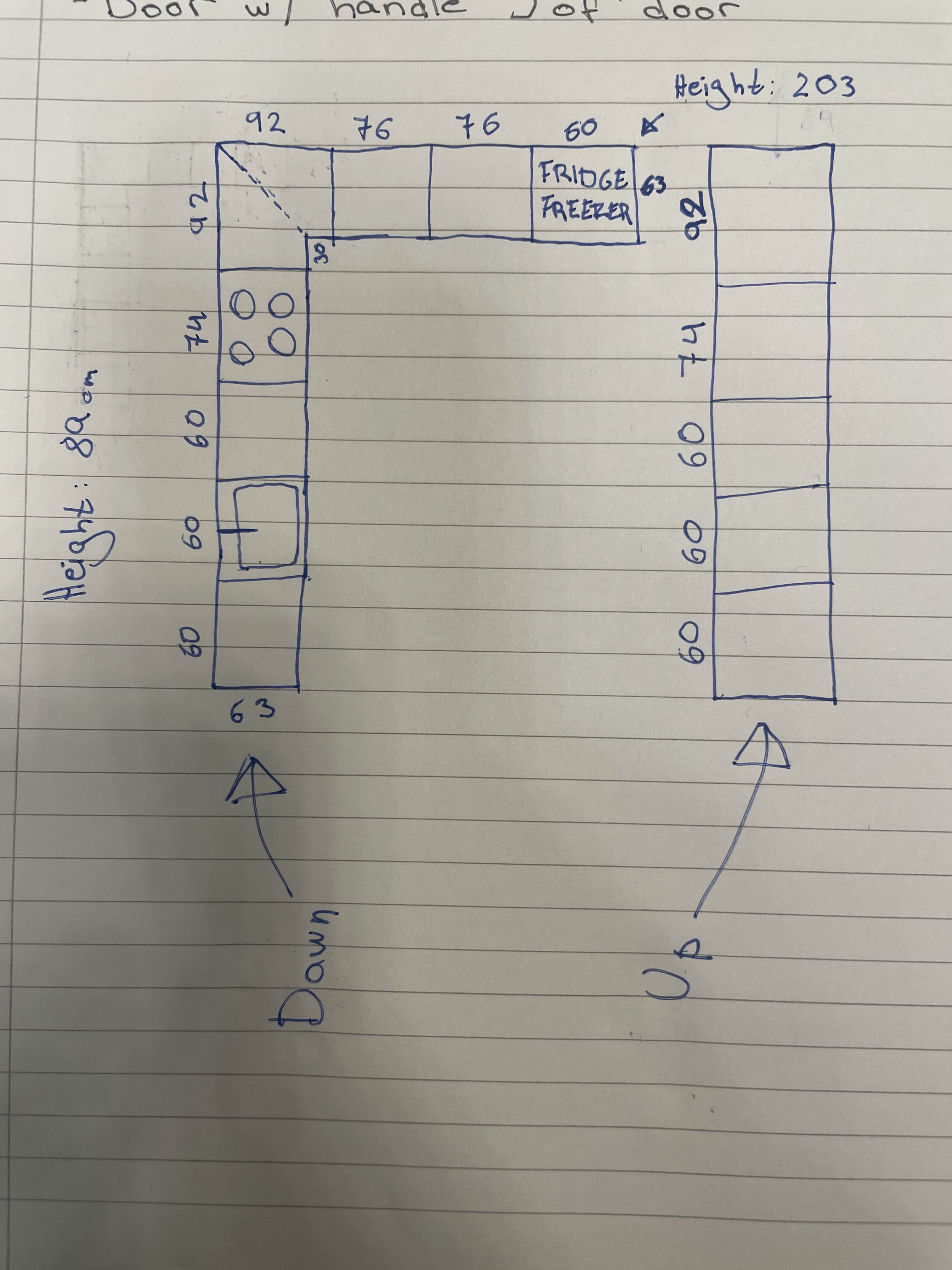
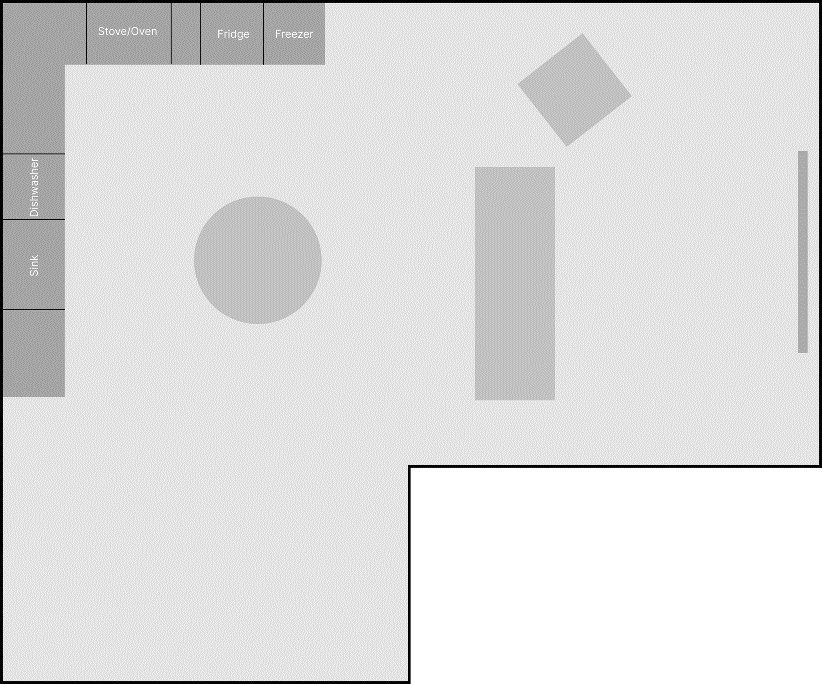
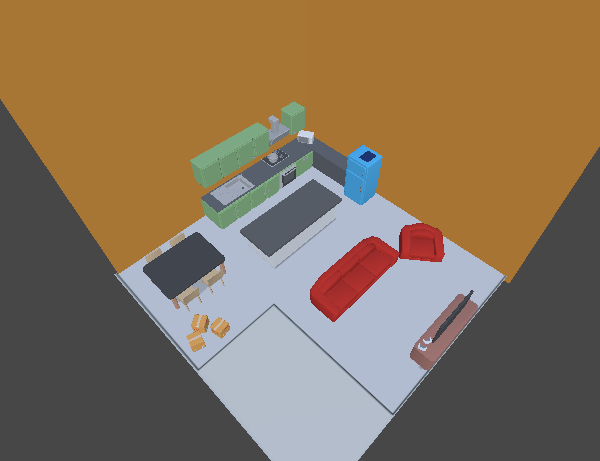
The layout of the kitchen would later change.
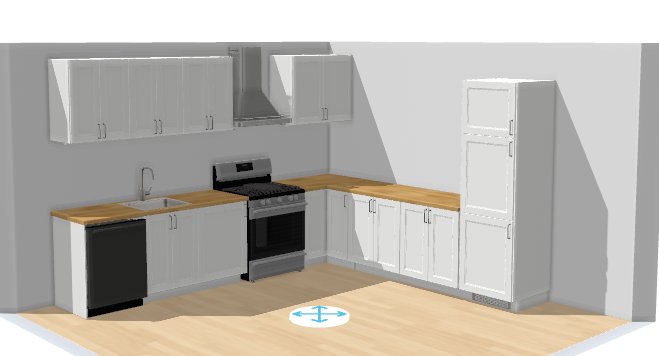
To ensure realistic scale, I also used IKEA’s kitchen planning tool as a reference before translating the layout into Blender.
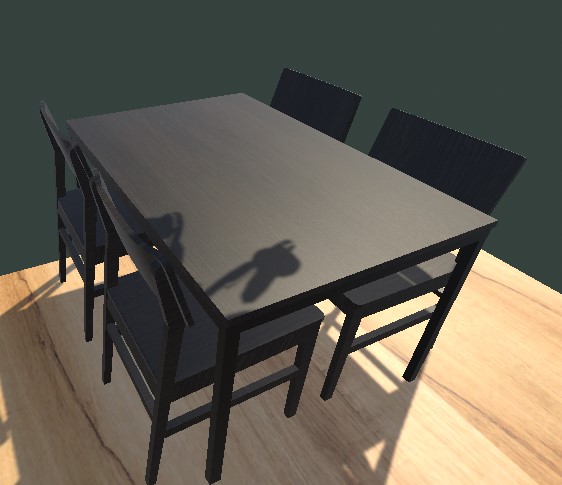
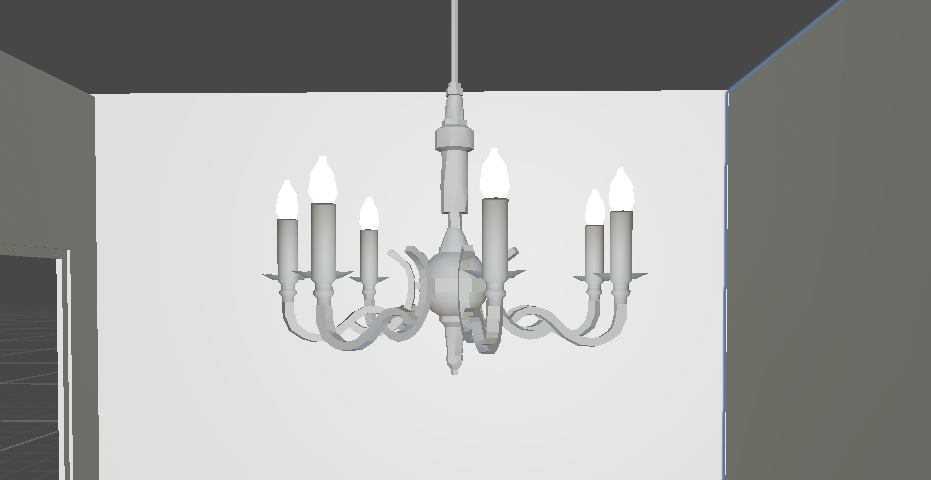
Since I had no prior experience in 3D modeling, I learned Blender alongside the project. I created assets such as cabinets, tables, and lighting to put in the environment, while continuously balancing visual detail with performance to ensure the environment worked in real-time VR.
Interaction Design
A central part of my role was designing how users interact with the environment.
One of the key tasks was setting the table. To design this, I physically performed the task in real life and broke it down into detailed steps such as reaching, grasping, carrying, and placing objects. This helped identify key “touchpoints” that needed to be translated into VR.

A key insight was that the most realistic interaction is not always the most effective. For example, instead of replicating complex hand movements, we used button-based interactions that still felt intuitive to users.
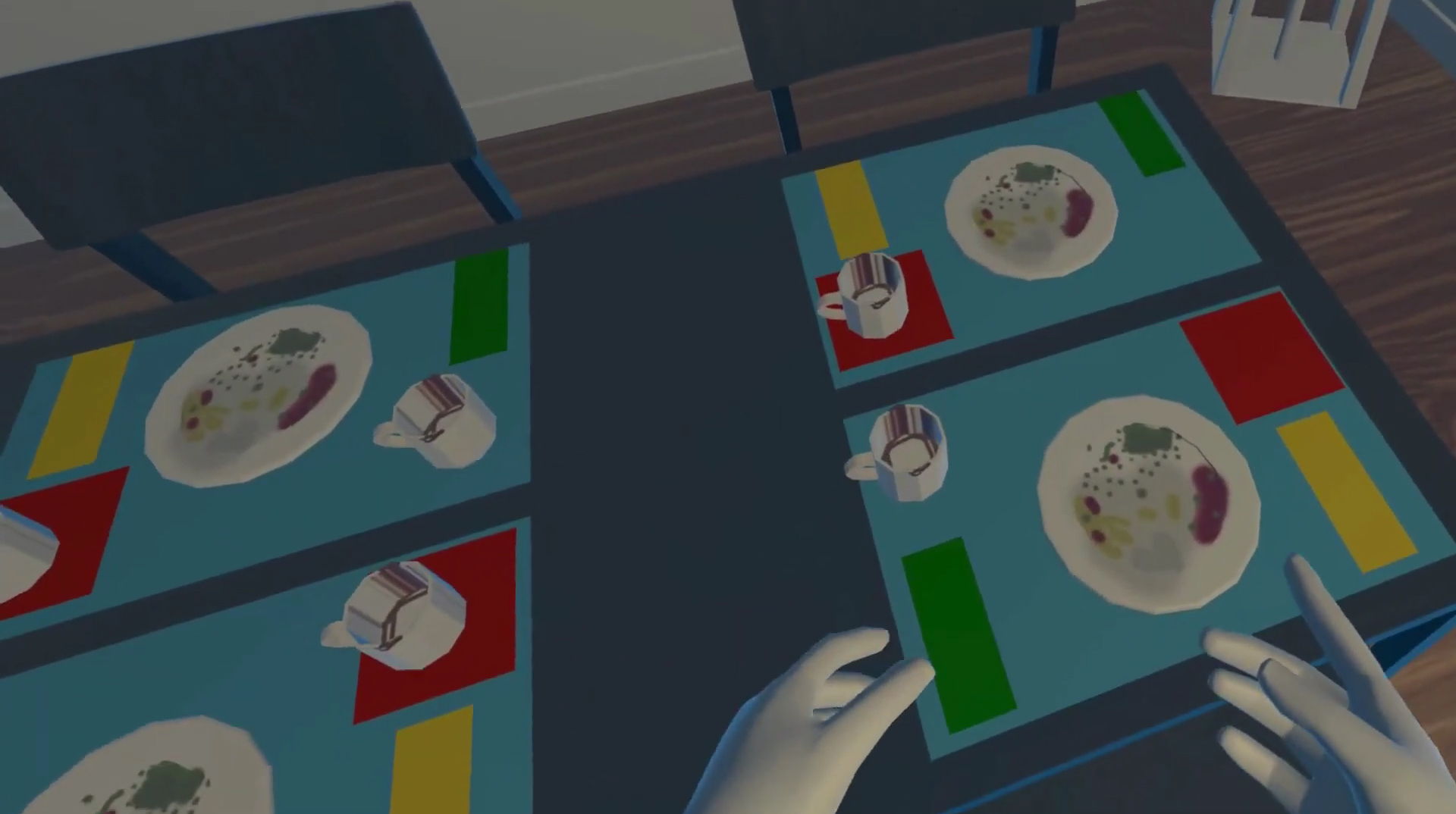
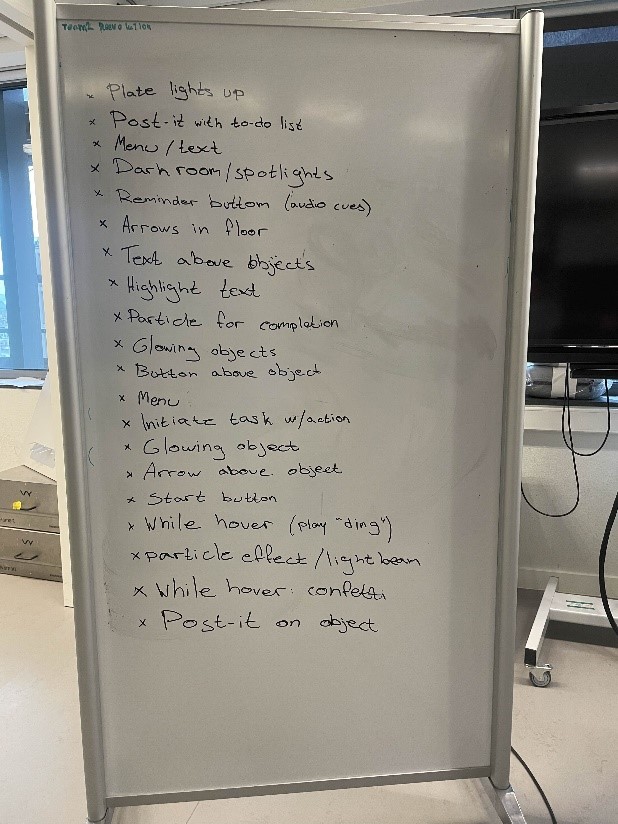
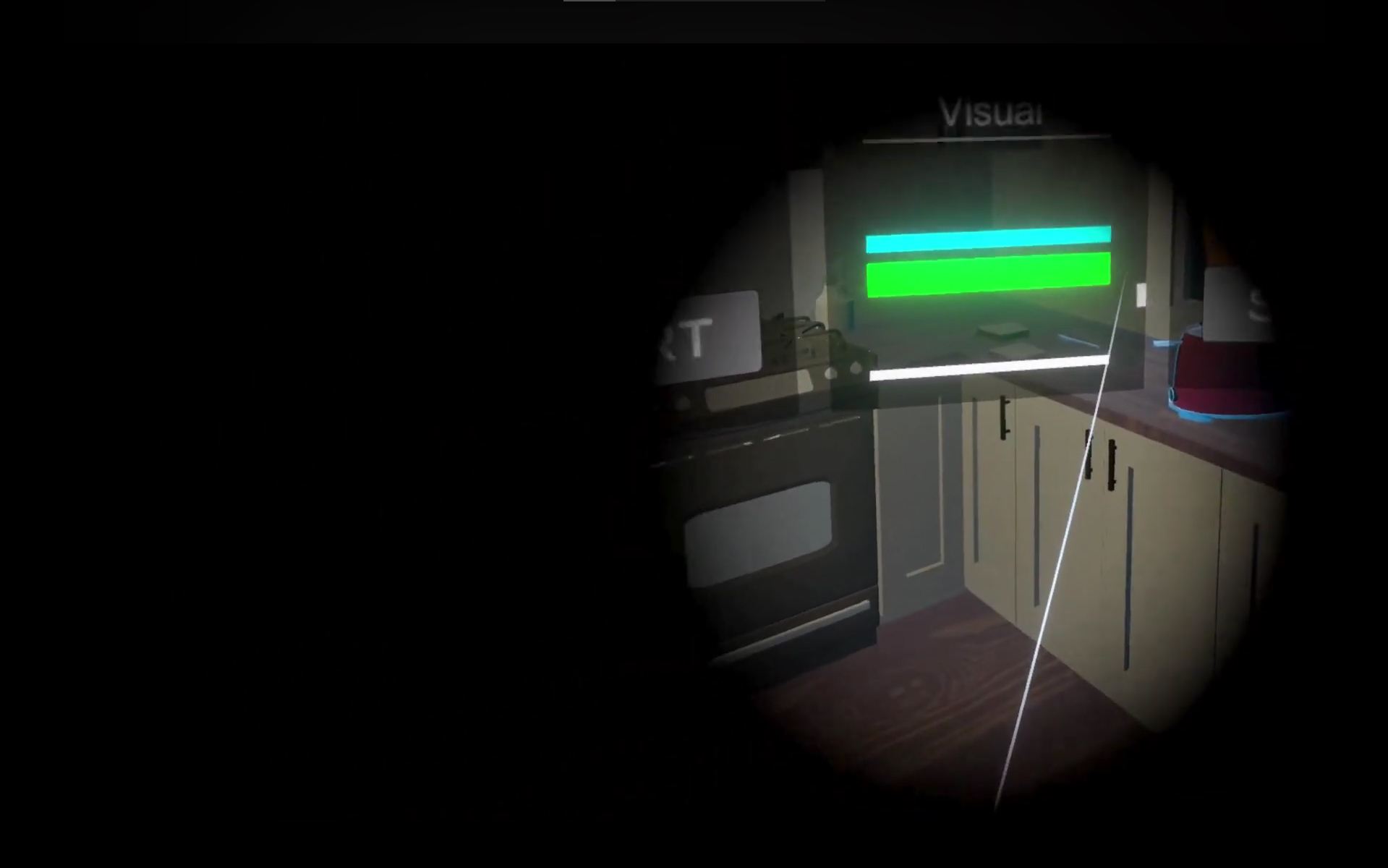
To help users understand what they can interact with, especially under visual impairment, I facilitated a workshop with the team. This led to a multi-layered feedback system combining visual cues (light and particle effects), haptic feedback and contextual UI prompts. The UI is not affected by the visual impairment.
Onboarding
Since many users had little or no VR experience, onboarding became a critical part of the design. Instead of relying on instructions, I designed a “learn by doing” onboarding experience integrated into the environment itself. A hallway acts as a transition space where users gradually learn interactions through simple tasks.
The onboarding follows a step-by-step progression: 1) movement, 2) picking up objects, 3) interacting with tasks, and 4) completing actions.
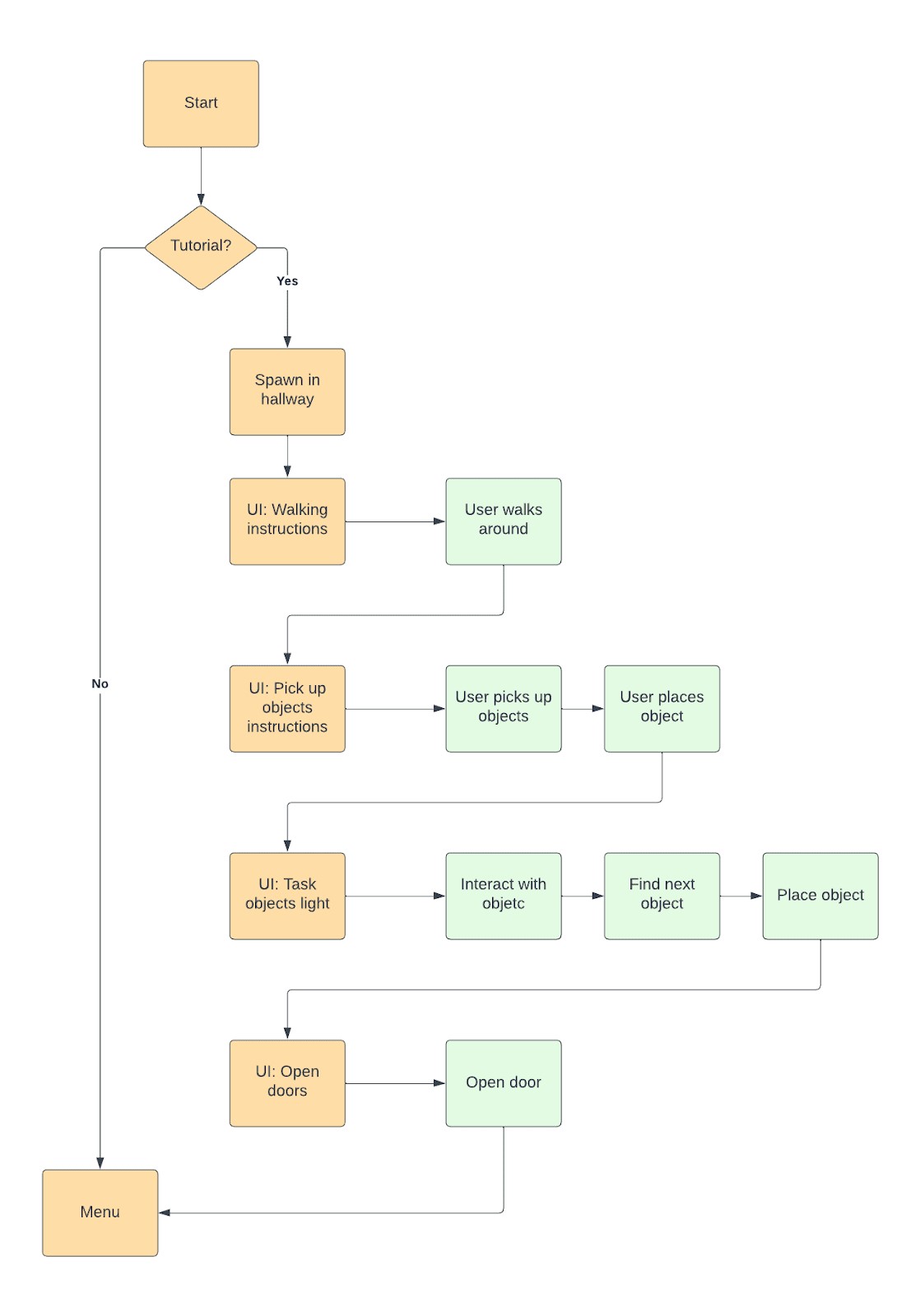
The design was informed by research on VR tutorials, emphasizing kinesthetic learning, minimal instructions, and gradual complexity.
UI-Design
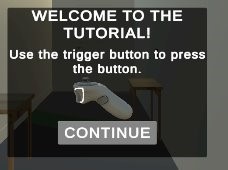
I also designed UI elements such as instructions and settings for visual impairments. A key consideration was accessibility: since the experience simulates low vision, UI elements needed to remain clearly visible and unaffected by these impairments.
The UI was designed to be readable and non-intrusive, integrate into the environment without breaking immersion, and support users without overwhelming them. This included decisions around typography, positioning in 3D space, and interaction feedback.
The UI was initially designed in Figma with a focus on clarity, readability, and minimal disruption to the immersive experience.
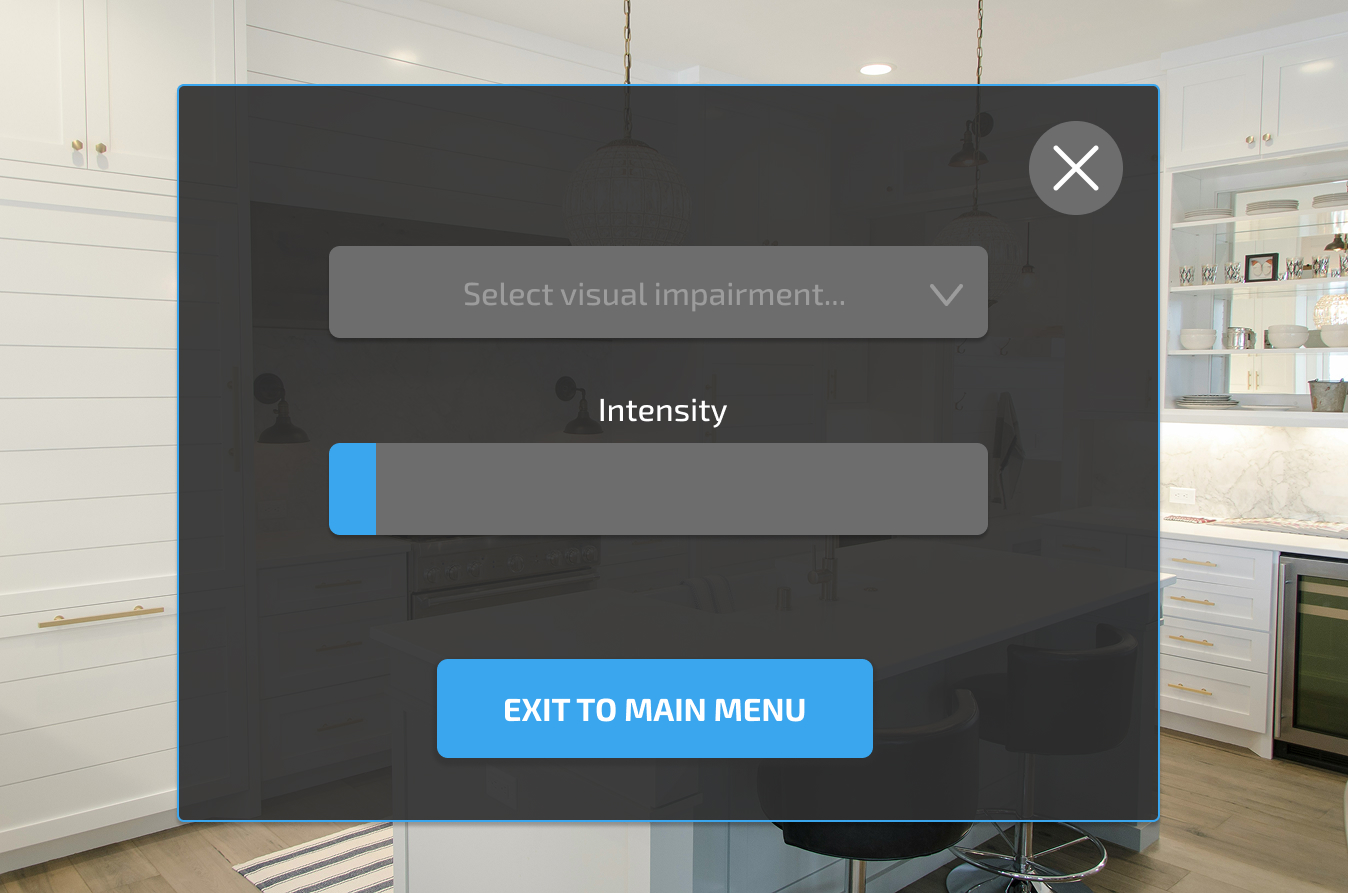
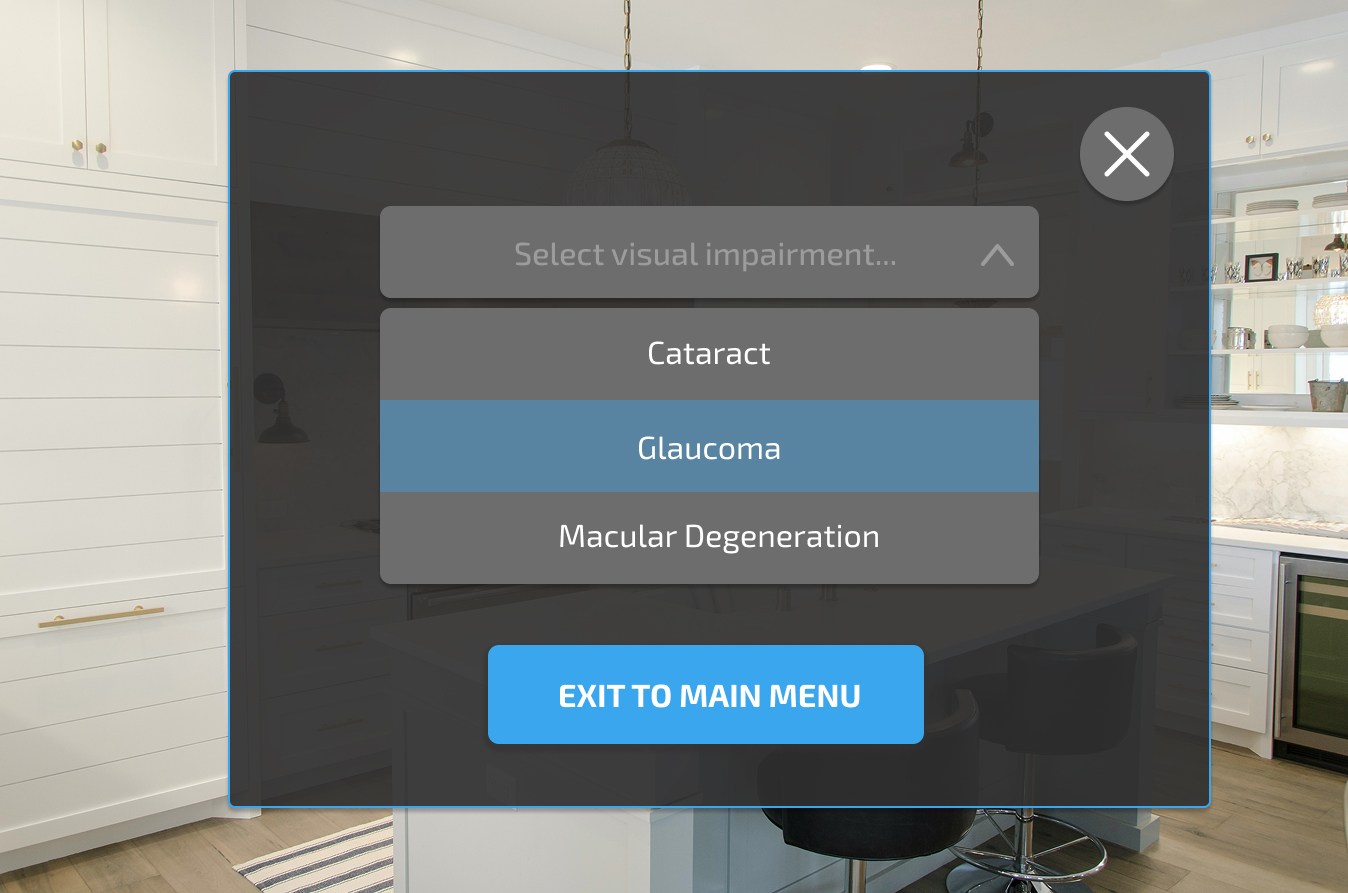
Due to technical constraints and time limitations, the implemented version differs from the original design. However, the core interaction principles were preserved, such as visibility, accessibility, and contextual guidance.
DELIVER
Final Delivered Experience
The project resulted in a functional VR experience delivered to the physiotherapy program at Amsterdam University of Applied Sciences.
Users were able to:
- navigate a kitchen environment
- perform everyday tasks such as setting the table, load the dishwasher, make toast
- experience physical and visual limitations through XR
The experience was designed to be used as part of existing teaching, complementing tools such as elderly suits and visual impairment simulations.
While some elements, such as UI, were less visually refined due to time
and technical constraints, the core interactions and learning experience
were fully implemented and tested with students from the physiotherapy program.
Reflection
This project taught me how different designing for XR is compared to traditional UX. One of the biggest learnings was that realism is not always the goal. What feels intuitive and understandable to the user is often more important than accurately replicating real-world behavior.
I also learned how to design for the body as an interface. Instead of thinking in screens and clicks, I had to think in movement, space, and physical interaction.
Working in an interdisciplinary team also highlighted the importance of structure and communication. Creating clarity around tasks and responsibilities became just as important as the design itself.
Finally, this project showed me the potential of XR as a tool for learning. When designed well, it can create experiences that are difficult to achieve through traditional methods.
Next steps
The next step would be to test the experience more extensively with physiotherapy students in a real educational setting.
This would help validate:
- how well the interactions support learning
- how intuitive the onboarding is for new users
- how effectively empathy is built through the experience
Further work could also focus on refining:
- interaction realism and feedback
- UI clarity and visual polish
- accessibility for different user needs