DESIGNING AI SUPPORT FOR RETAIL STAFF
TL;DR
Investigated the role of AI in retail workflows by designing an internal chatbot concept tailored for busy retail environments. Using interviews, surveys, thematic analysis, and iterative prototyping, the project identified key UX challenges around trust, explainability, privacy, and human control in workplace AI systems. The outcome included a high-fidelity chatbot prototype and a set of UX design guidelines for trustworthy AI in retail, developed in collaboration with Mio AB.
DISCOVER
Context
AI is becoming increasingly common in workplace environments, and more companies are exploring how it can support internal workflows. In this project, we collaborated with Mio, who wanted to understand how an AI chatbot could support retail staff in their daily work.
The retail environment is fast-paced and often unpredictable. Staff constantly switch between tasks, help customers, and search for information on the spot. When they don’t have an answer, they usually rely on colleagues, suppliers, or internal systems. This often takes time and interrupts the flow of work.
What became clear early on was that access to information is not just important, it is critical. When answers are delayed, it directly affects both the employee’s workflow and the customer experience.
Problem Space
AI has clear potential to support retail staff by making information more accessible and reducing the need for manual searching. At the same time, introducing AI into a work environment brings new challenges.
From the research, it became clear that it is not enough for the system to work well technically. How it is perceived by users is just as important. Staff raised questions about whether they could trust the answers, where the information comes from, and what happens to the data they enter.
This creates a tension where the same system can feel either helpful or
uncomfortable depending on how it is designed.
User Research
To understand these needs, we conducted seven semi-structured interviews with retail staff and complemented this with a survey. The goal was to capture how they currently work, where friction occurs, and how they feel about introducing AI into their workflow.
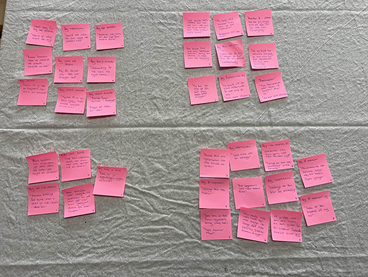
The material was analyzed using thematic analysis to identify recurring patterns in both behavior and perception.
Key Insights
From the research, four key themes emerged that shaped how the AI needed to be designed in this context.
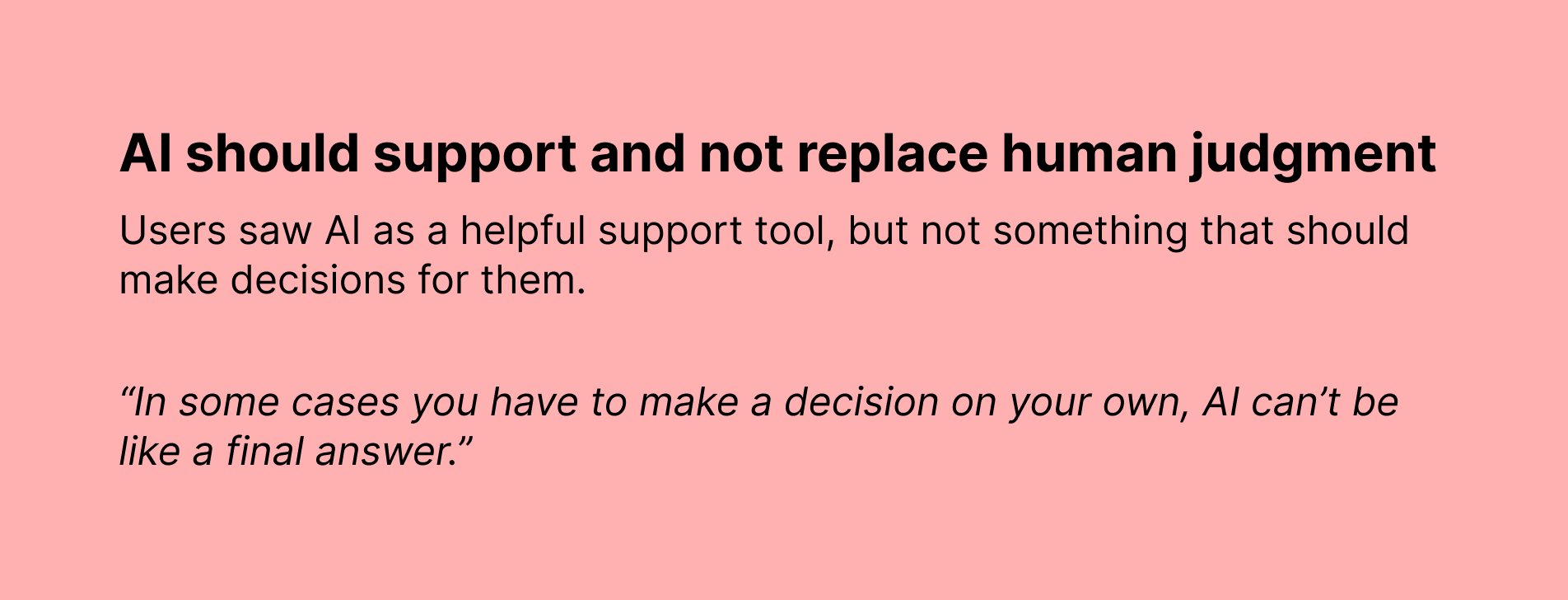
While participants were generally positive towards AI, their expectations were very specific. They did not want a system that tried to replace their role, but one that clearly supported their work. Especially in situations that required judgment, it was important that the user remained in control.
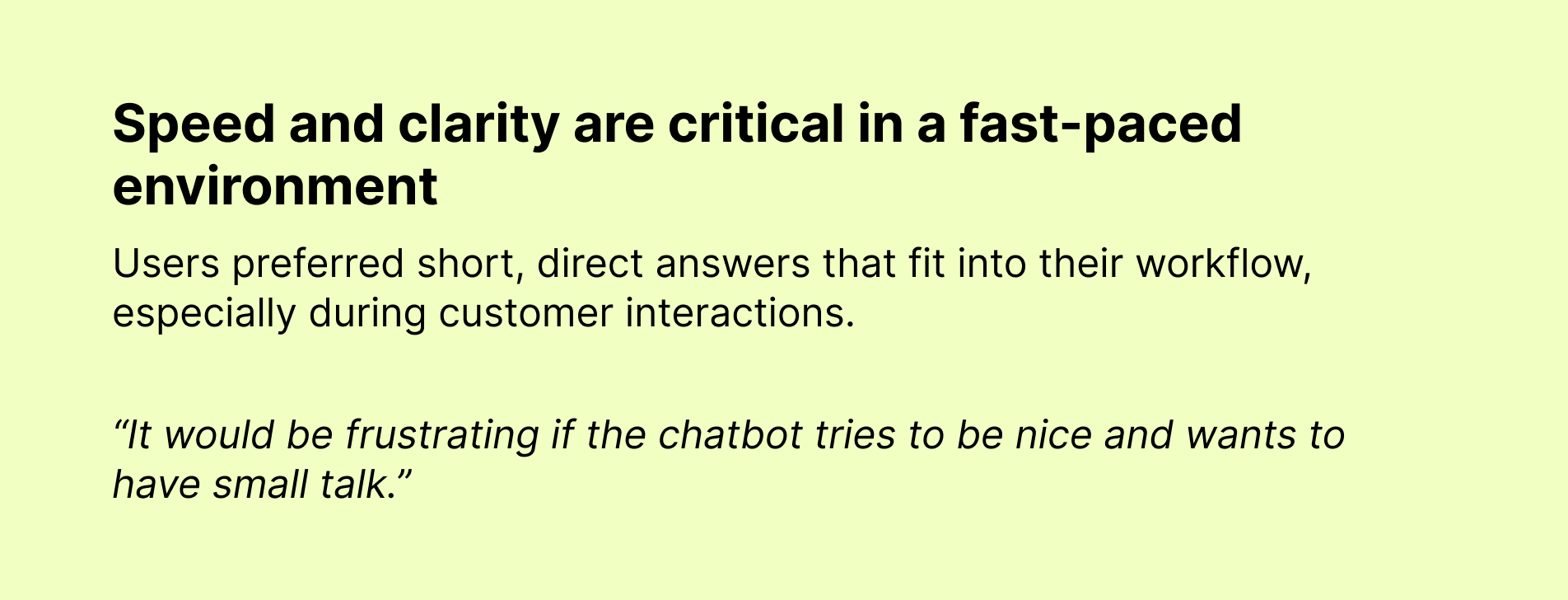
At the same time, the retail environment placed strong demands on speed and clarity. Interactions needed to be quick, direct, and easy to process, without unnecessary complexity or conversational elements that could slow users down.
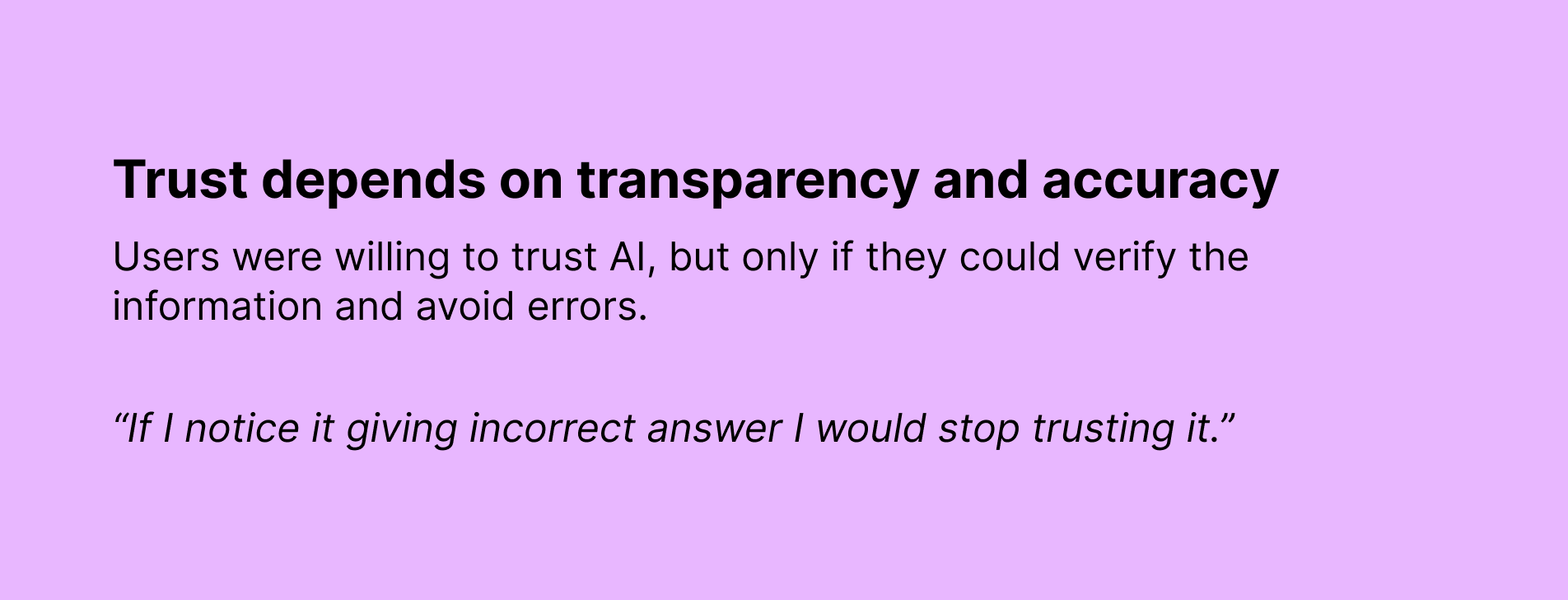
Another recurring theme was trust. While participants were open to using AI, this trust depended on the system being transparent and reliable. Being able to understand where information comes from, and to recognize when something might be incorrect, was critical.
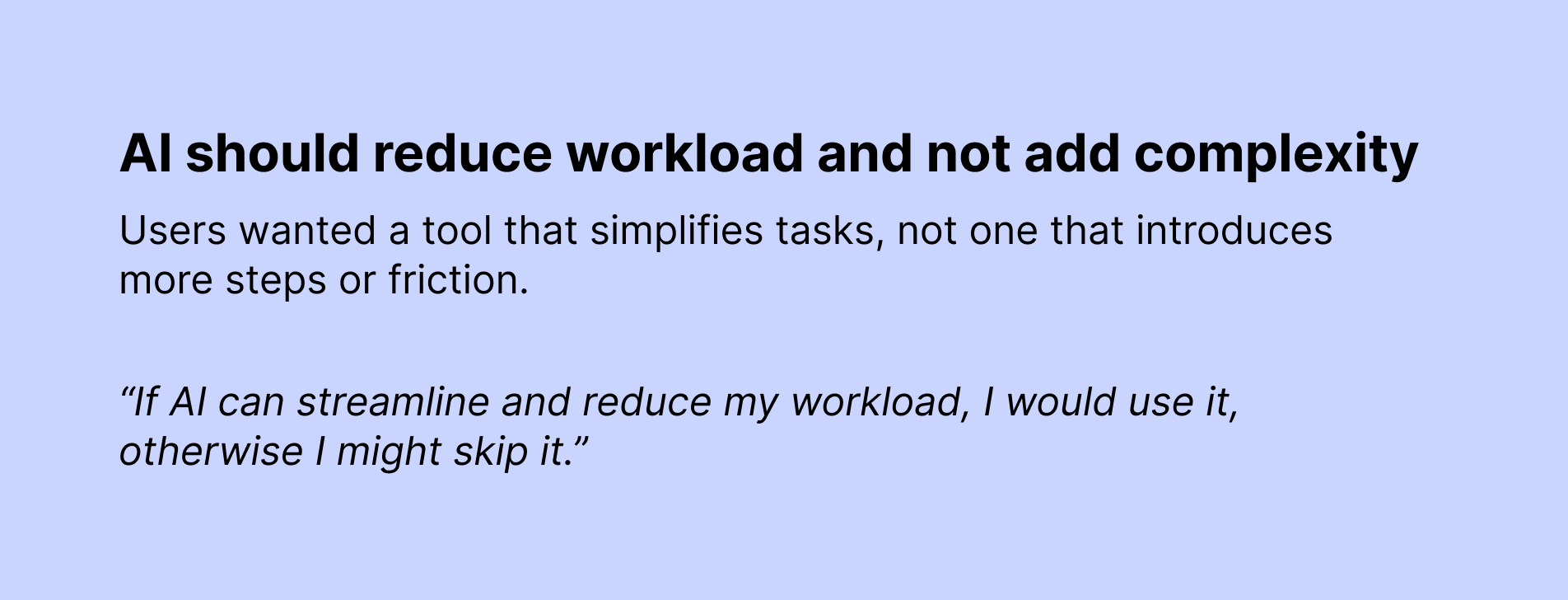
Finally, the value of the system was closely tied to its ability to reduce workload. If the AI added friction or required additional effort, it risked being ignored entirely.
DEFINE
Problem Definition
How might we design an AI chatbot that supports retail staff in fast-paced situations while still maintaining trust, clarity, and a sense of control?
Design Goals
The solution needed to be easy to understand and quick to use. It should support staff without getting in their way, reduce cognitive load during busy moments, and make relevant information available exactly when it is needed. Just as importantly, it needed to feel trustworthy and transparent.
Design Principles
To guide the design, we translated both the research insights and existing AI guidelines into a set of principles.
The system should be transparent, so users can understand what it does and where information comes from. It should give users control over the interaction, including the ability to guide and correct it. Communication should be clear and easy to scan, especially in time-sensitive situations. Finally, the AI should be positioned as a tool rather than something that mimics human behavior.
DEVELOP
Ideation
In the ideation phase, we explored how an AI chatbot could fit naturally into the existing workflow. The focus was not on adding new features, but on reducing friction in tasks that were already part of the workday.
We looked at how the system could provide answers quickly, support information search in real time, and avoid interrupting ongoing interactions with customers.
Concept: Maia
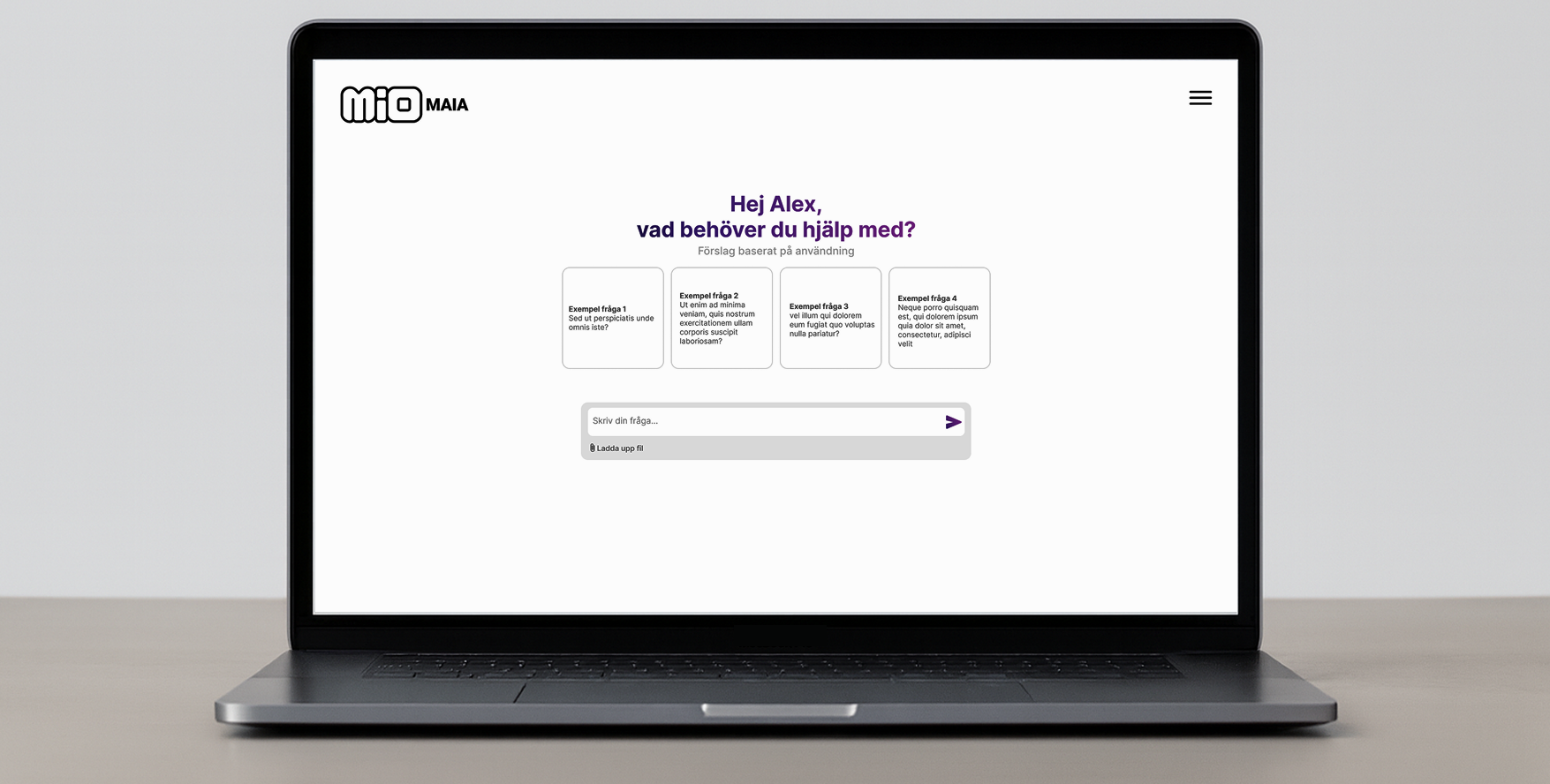
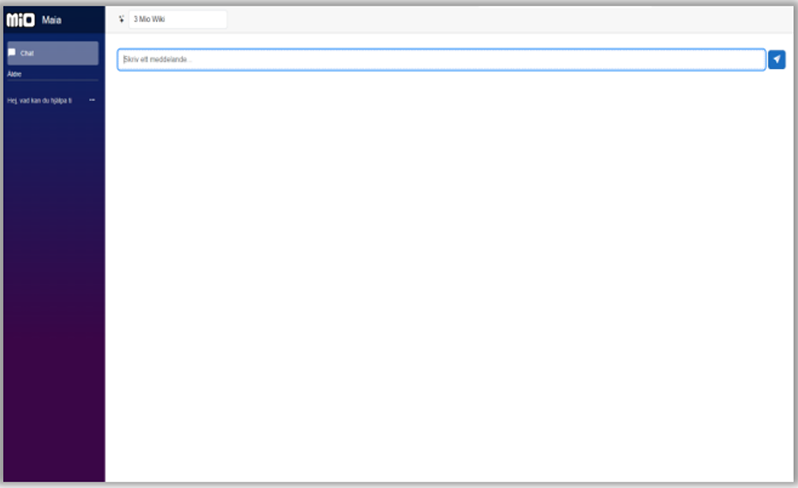
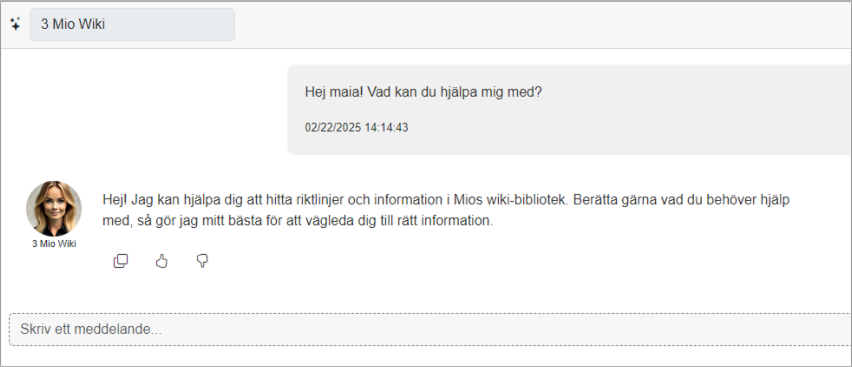
The concept resulted in an internal AI chatbot called Maia. It is designed to give retail staff fast access to relevant information through a conversational interface.
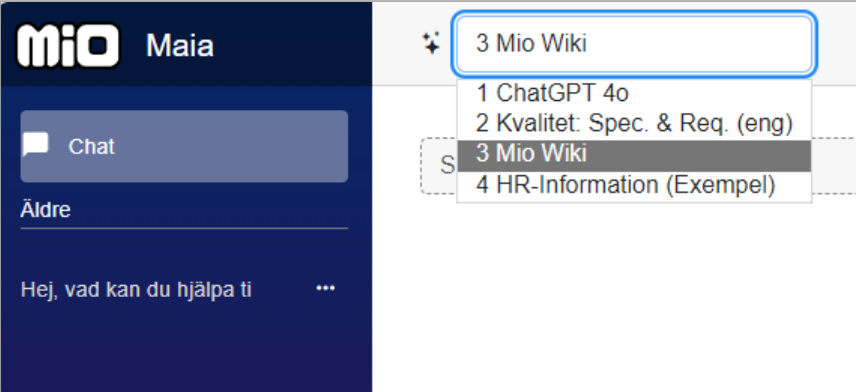
Maia already exissted as an early prototype, presented below. Technically, the system combines a language model with retrieval-based methods, allowing it to generate responses based on internal company data. This makes it possible to provide more accurate and context-specific answers.
Key Design Decisions
Limited memory
The system only remembers information when it is useful in the current interaction. This reduces concerns around long-term tracking and helps avoid the feeling of being monitored.
Clear data handling
The interface makes it clearer what is stored and why, so users can understand how their input is handled.
Context-sensitive information
Information is presented based on the user’s current task to avoid overwhelming them, especially in busy situations.
Source-based responses
Answers are connected to their source, making it easier for users to evaluate whether the information is reliable.
User control
Users can correct, dismiss, or guide the system instead of being locked into the interaction. This keeps the AI positioned as a support tool rather than a decision-maker.
DELIVER
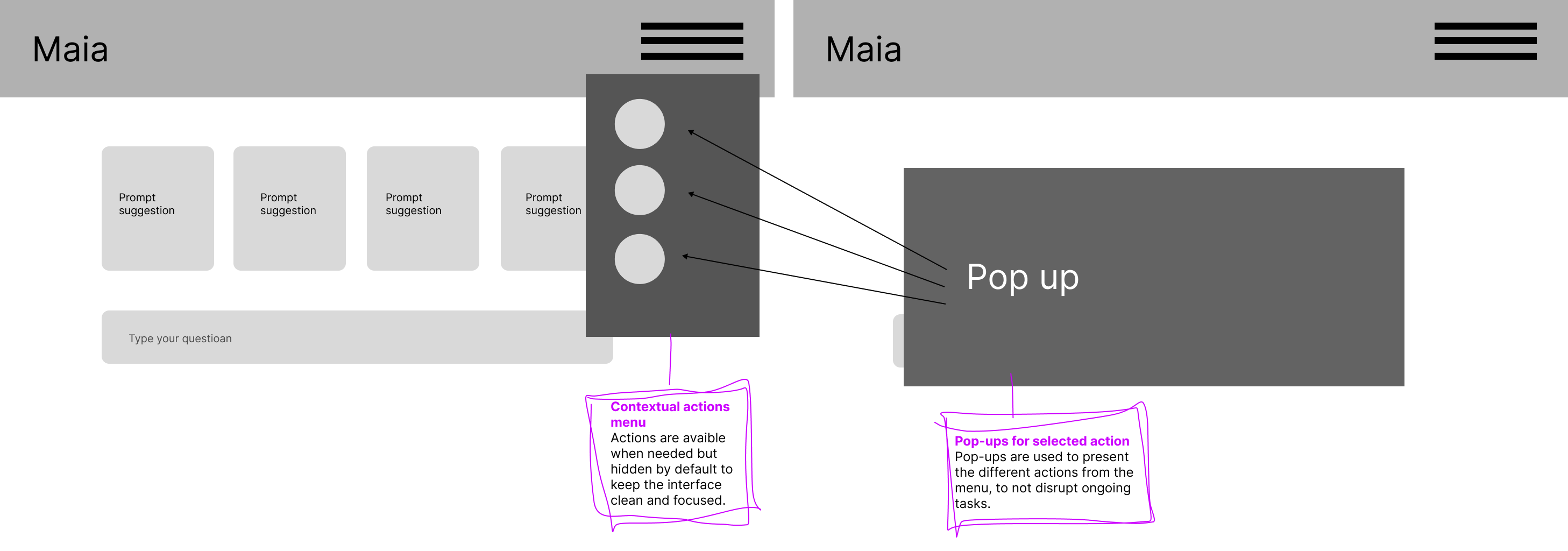
Lofi Prototype
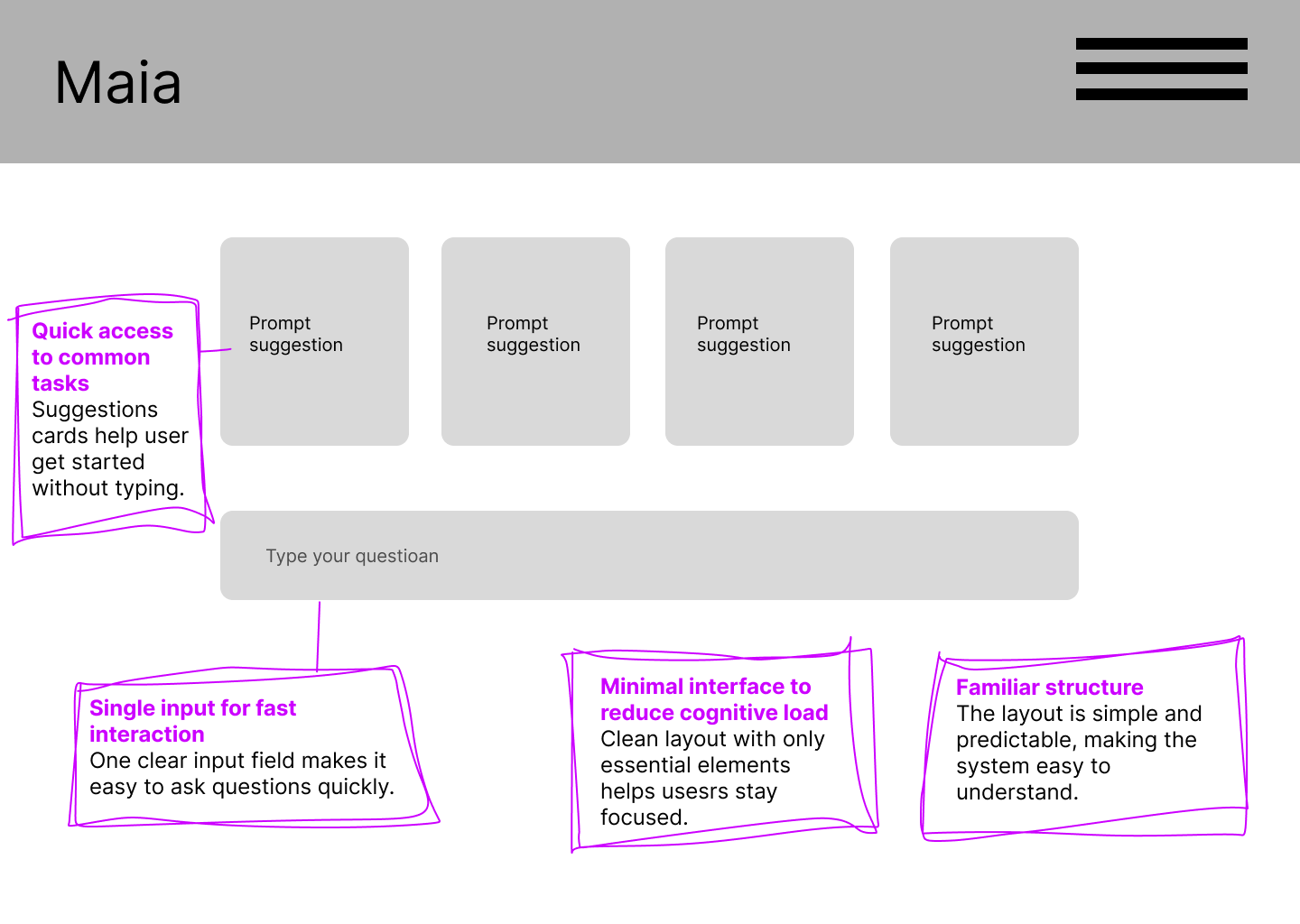
Landing/start interface
A clean and simple entry point that helps users start a conversation quickly and confidently.
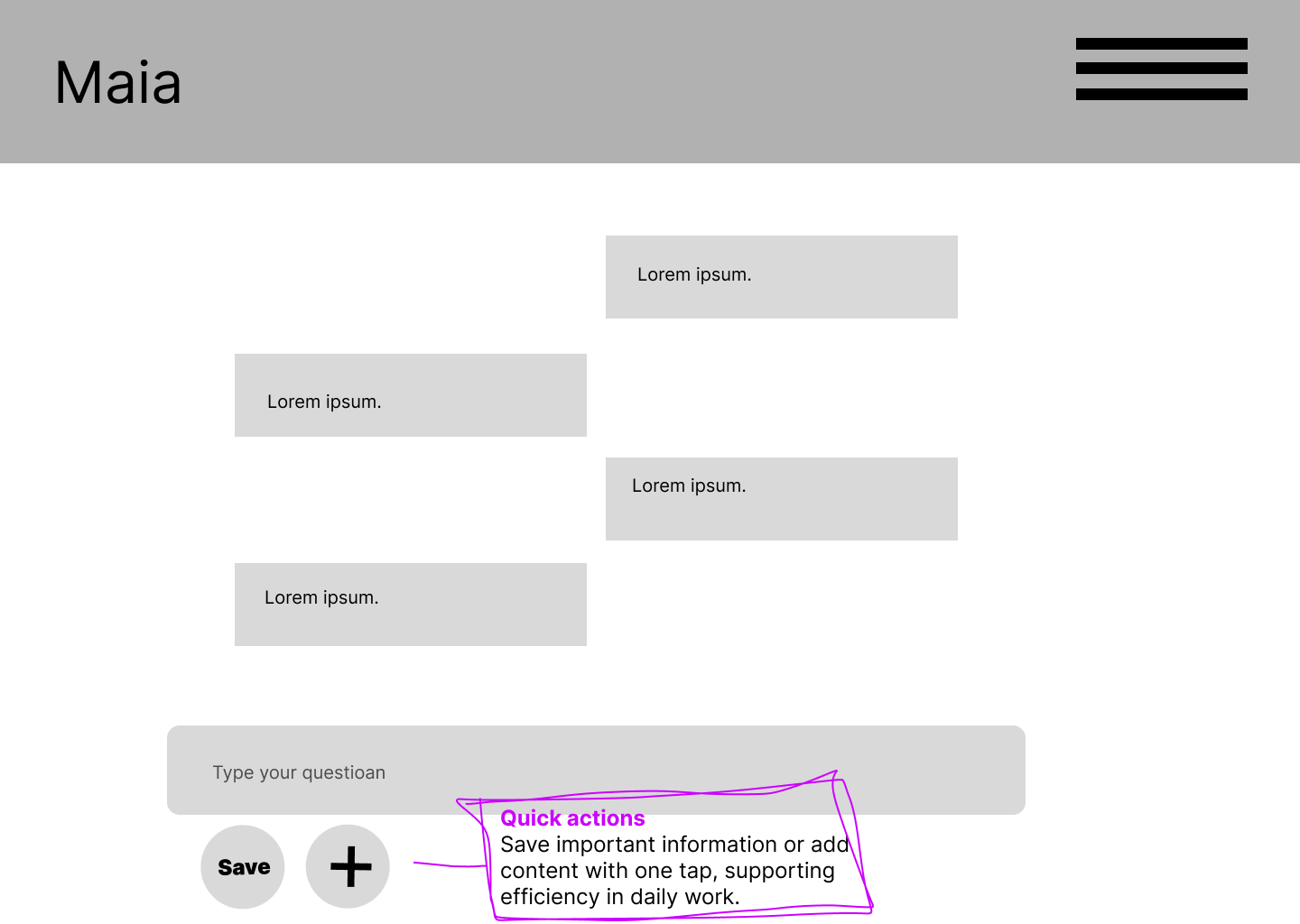
Chat interface with actions and feedback
Exploring how users can interact with responses and flag uncertain or reliable information.
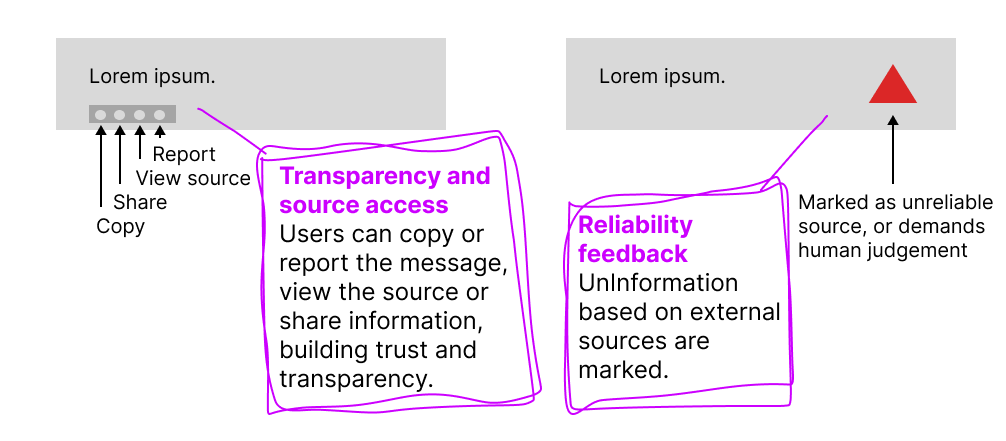
Response options and reliability feedback
Giving users control over information by making sources visible and allowing feedback.
Actions menu and pop-up feedback
Exploring how actions and system feedback can be available without interrupting the user.
Hifi Prototype
The project resulted in a set of adapted design guidelines for AI in retail, along with a concept for an internal chatbot.
It also highlighted several UX risks related to trust, transparency, and user control, which are critical to address when introducing AI into a work environment.
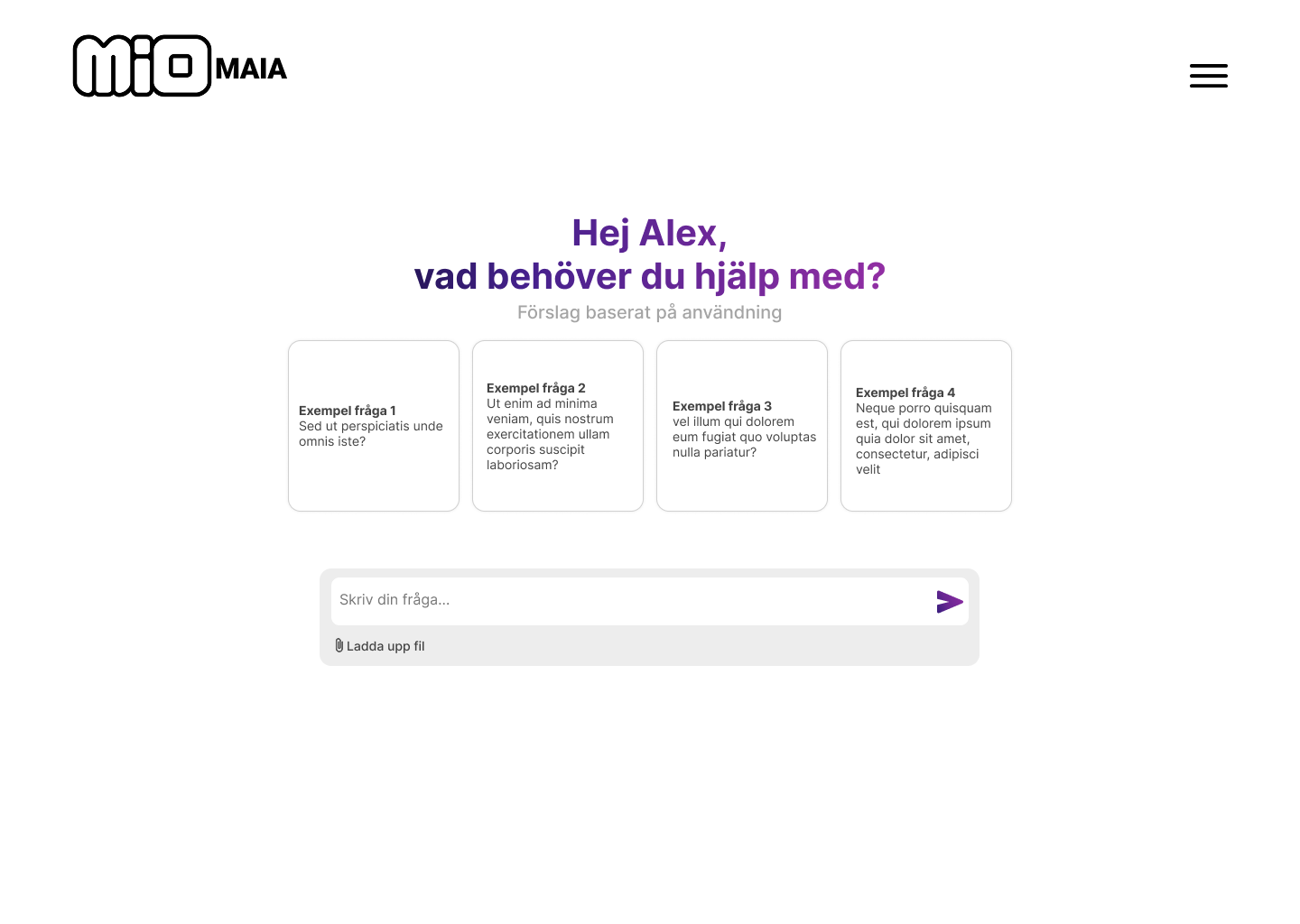
Landing page with prompt suggestions
A minimal start interface featuring prompt suggestions and a personalized greeting. Provides the option to attatch a file.
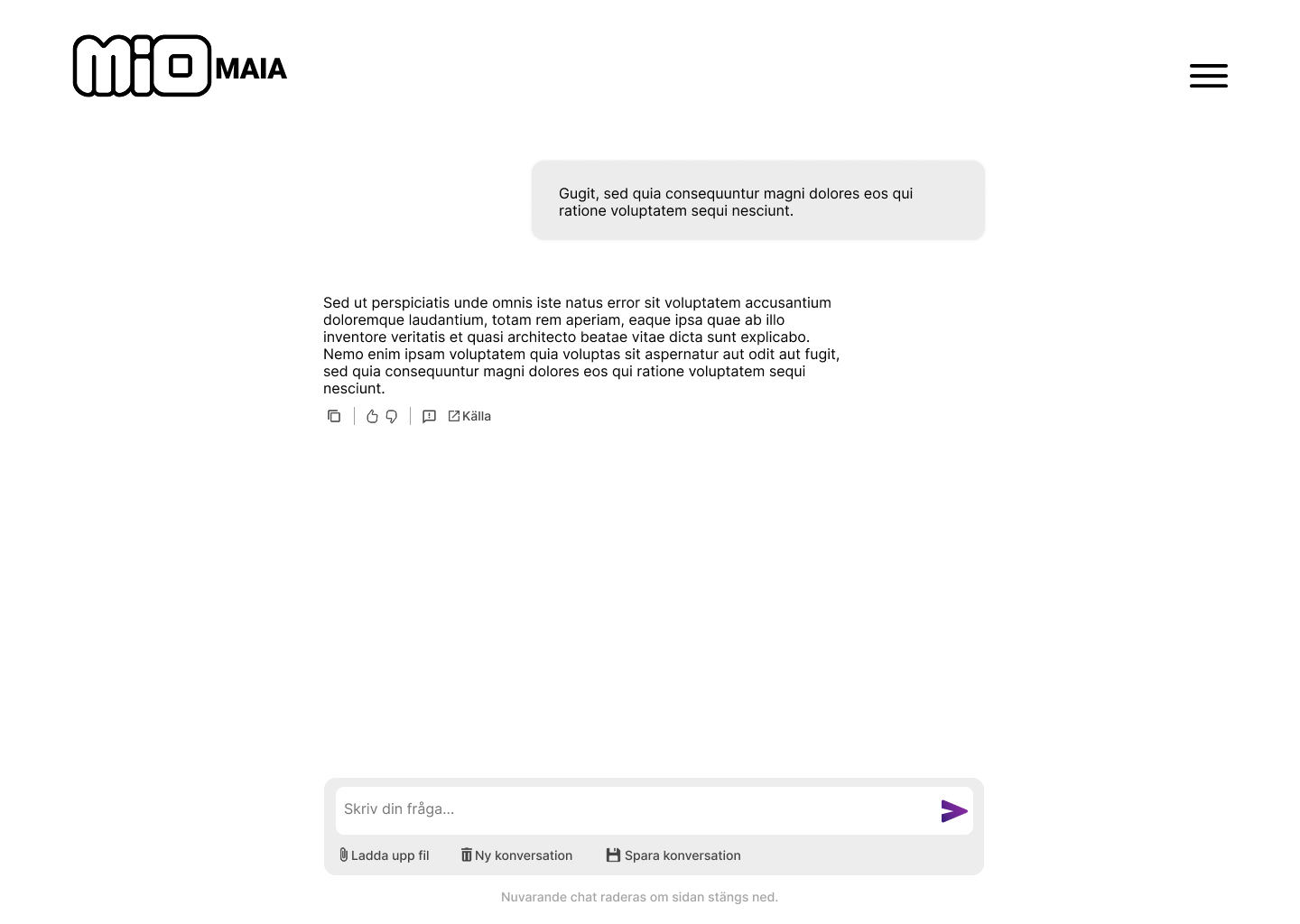
Chat Interface & Input Control
A linear chat interface with a persistent input field to support seamless interaction. Users can initiate, save, or clear conversations manually, reinforcing data control and transparency in everyday use.
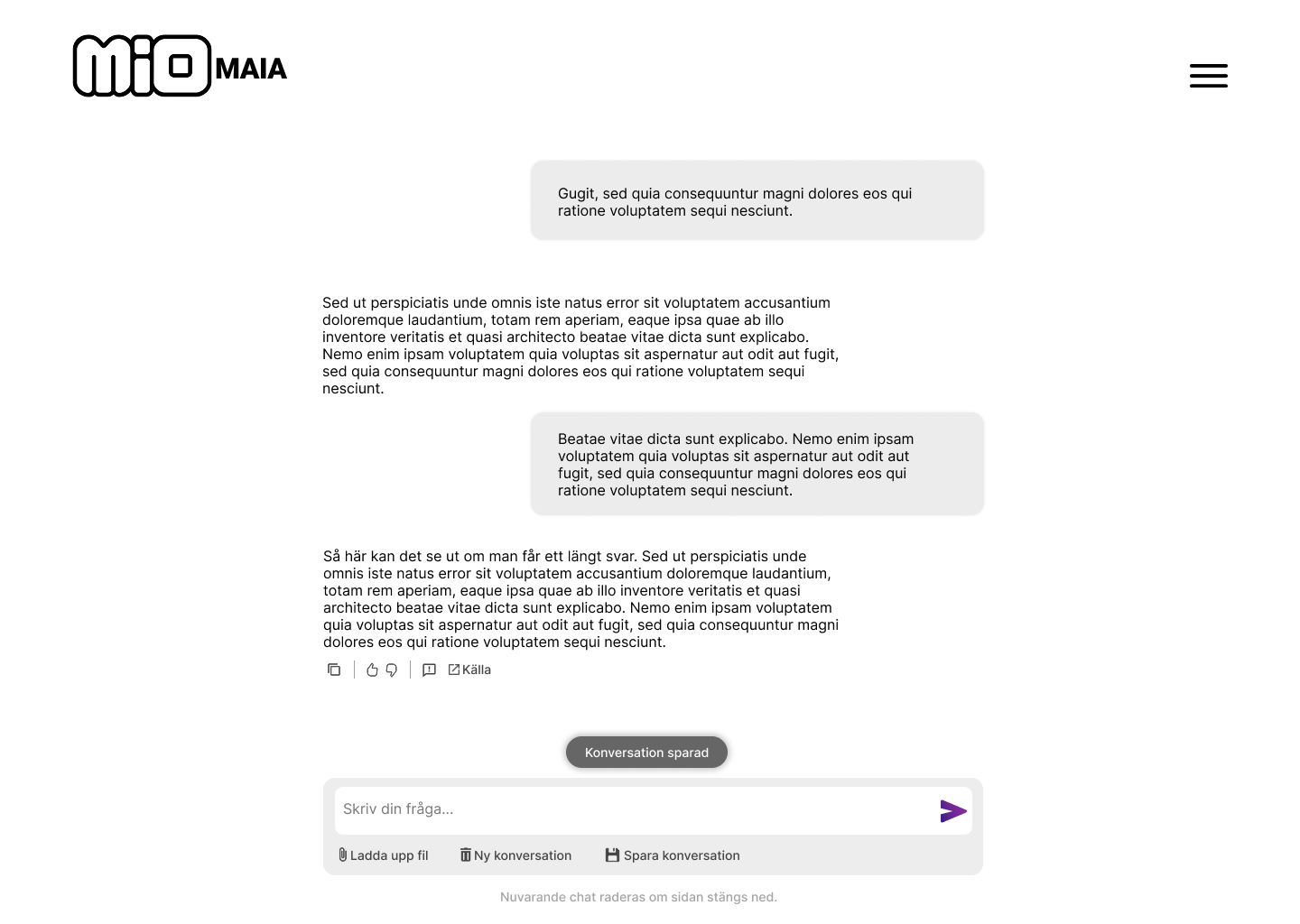
Save Confirmation Feedback
When a chat is saved, a subtle confirmation appears above the input field. This micro-interaction reinforces user control and system transparency without disrupting the workflow.
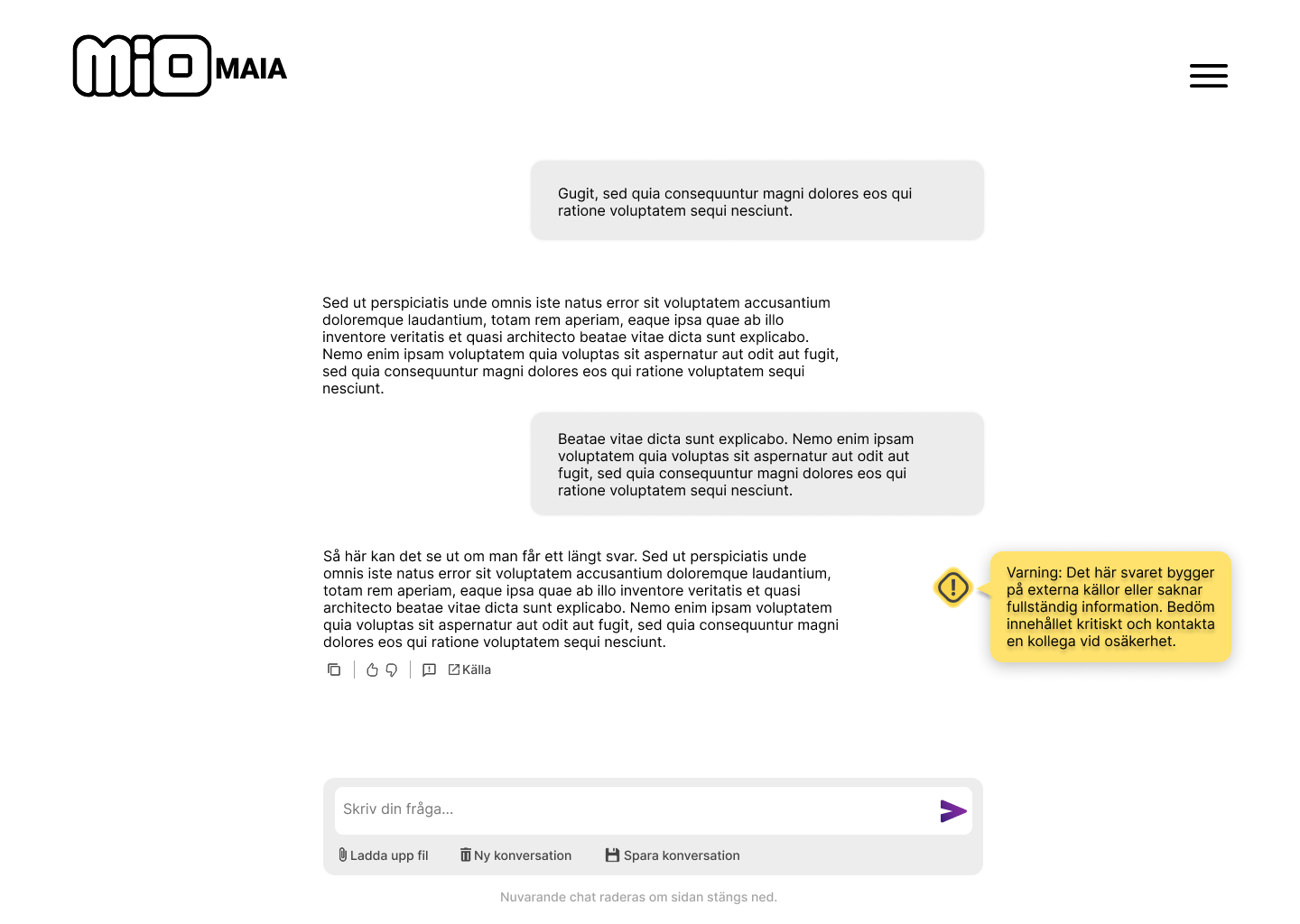
Content Uncertainty Indicator
A warning icon highlights uncertain content and encourages critical evaluation.
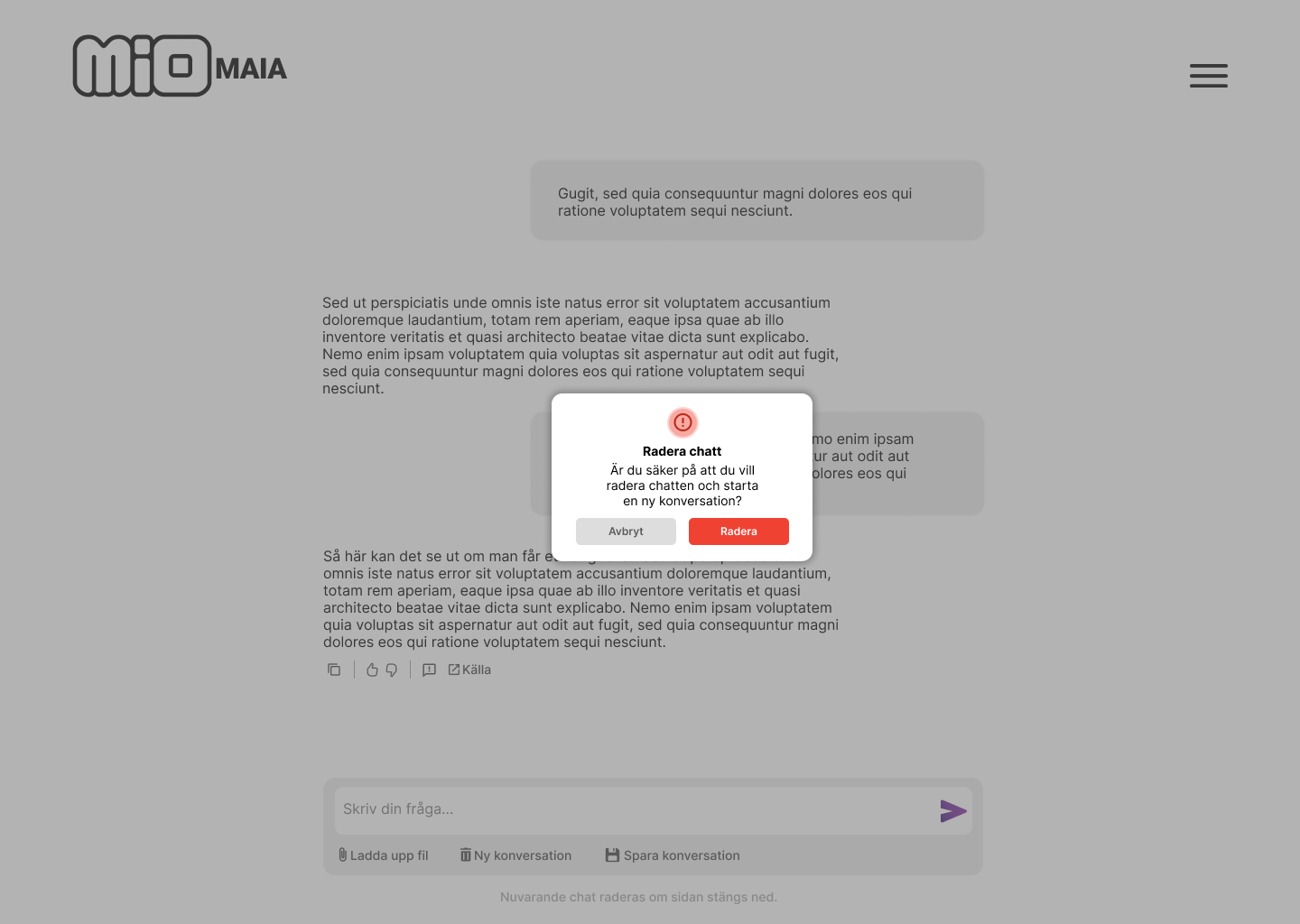
Deletion Confirmation Dialog
A confirmation dialog is presented prior to deleting a chat to prevent accidental data loss. This modal enforces deliberate action, enhancing user control and trust during critical interactions.
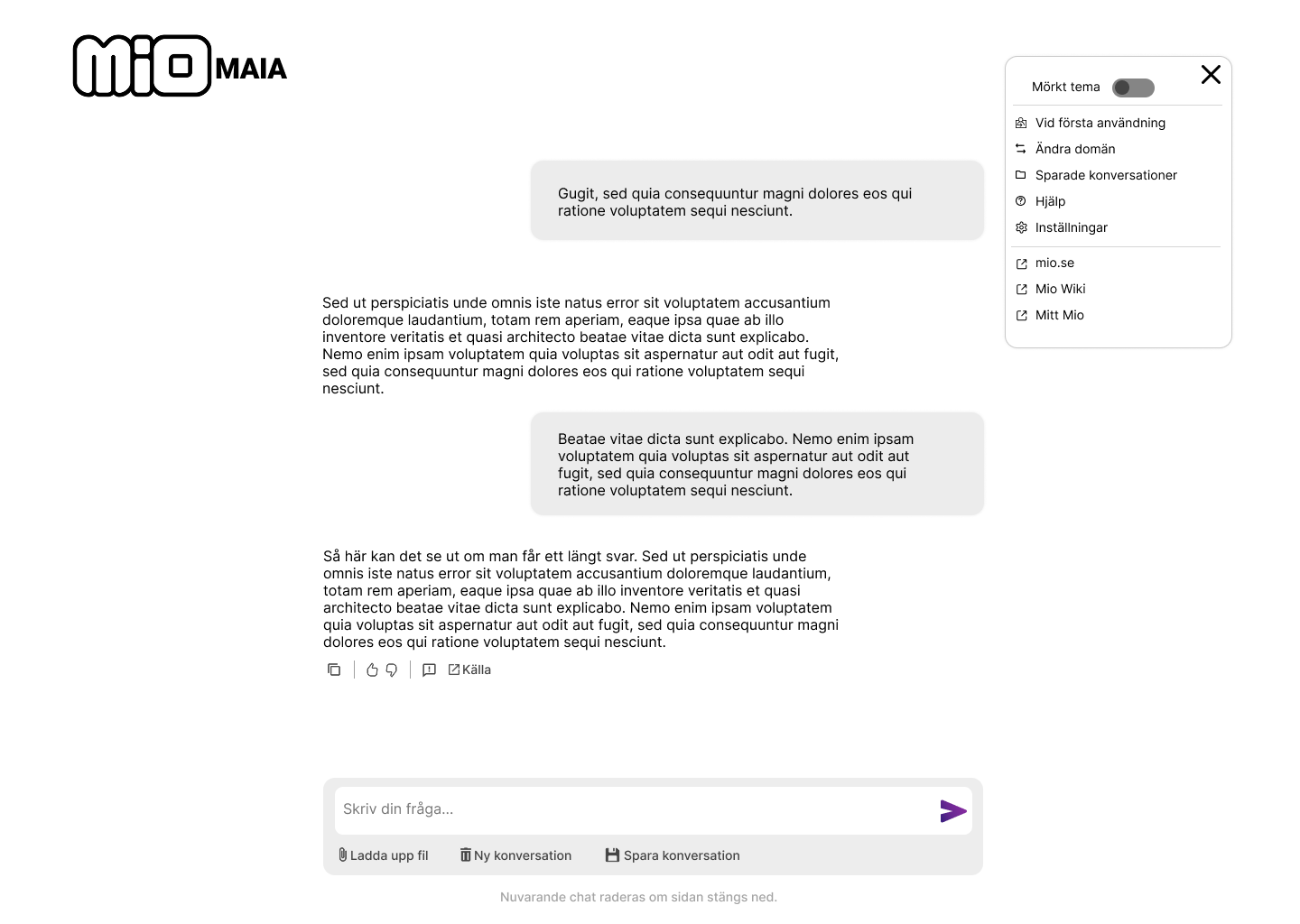
Secondary Actions Menu
The menu consolidates secondary actions, such as help and theme switching, maintaining focus on the primary user experience.
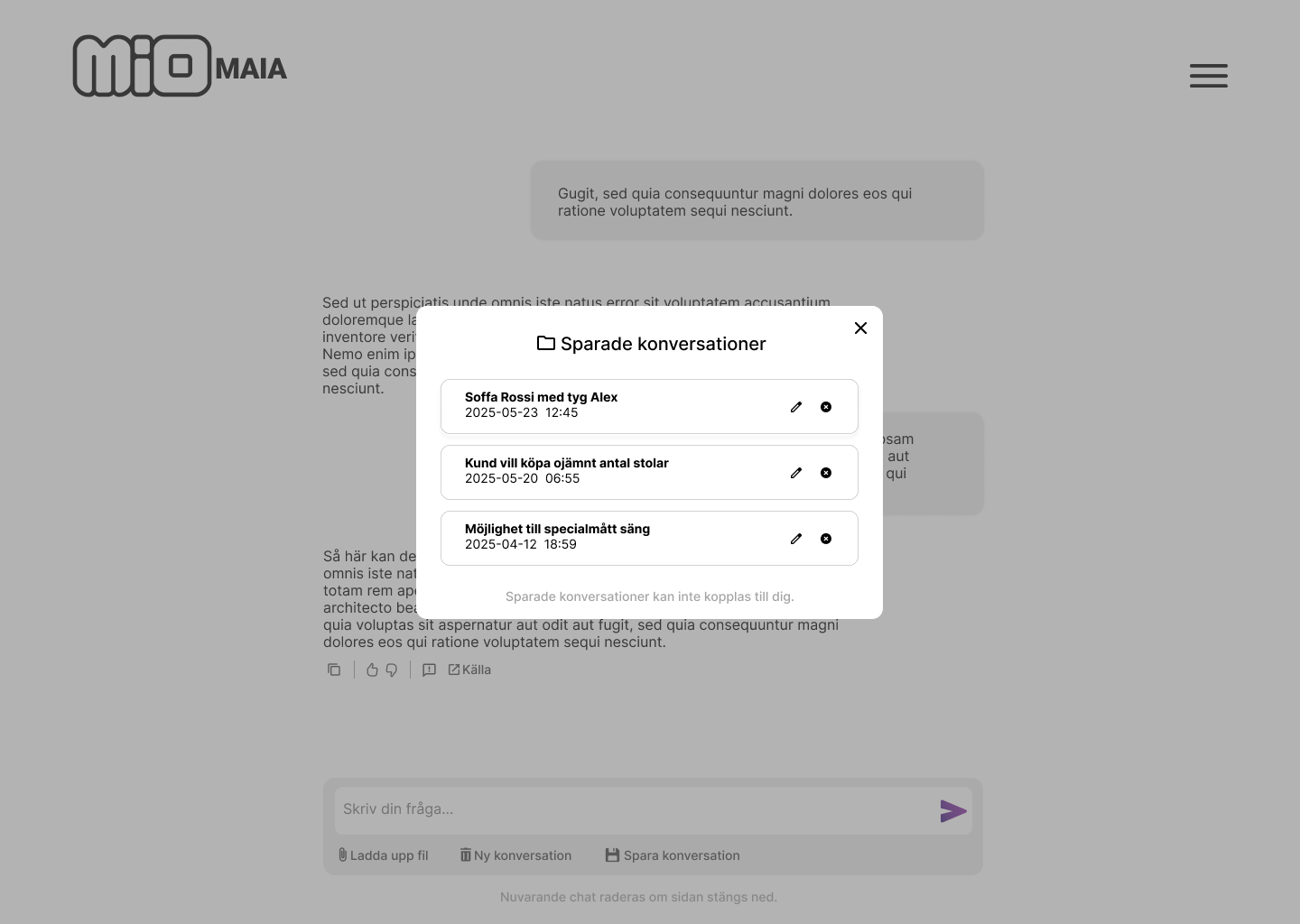
Saved Chats Management
A focused modal displays saved chats with options to edit or delete. The dimmed background minimizes visual noise and supports user control when managing previous interactions.
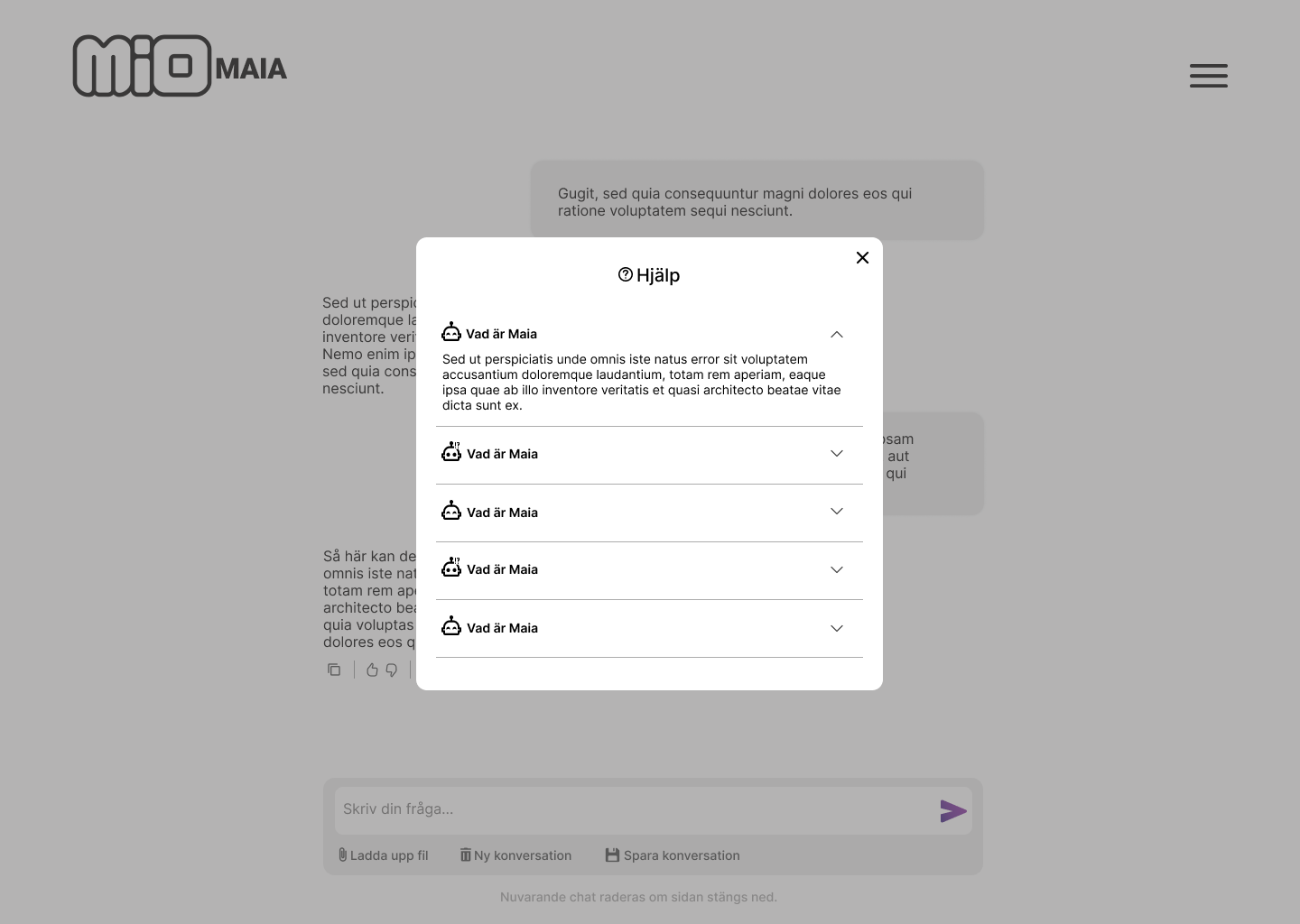
Help & Guidance Modal
Accessible via the main menu, the help modal provides collapsible guidance sections for efficient onboarding and support. Icons and a structured layout reduce cognitive load and enable users to locate information effectively.
Reflection
This project showed me that designing AI for a workplace is not only about making tasks faster. In a retail environment, speed can be valuable, but it also raises a bigger question: am I reducing friction for the user, or am I reinforcing an already stressful workflow?
A key learning was that trust is shaped by more than the interface. Features like memory, personalization, and automation can be useful, but in a workplace they also connect to power, privacy, and organizational culture. Even if a system is technically transparent, users still need to feel that it works for them, not as something that monitors them.
I also learned that AI guidelines cannot simply be applied as fixed rules. They need to be interpreted through the specific context, the users’ expectations, and the ethical tensions that appear in real use. In this project, that meant designing Maia as a clear tool under human control, rather than a system that feels too intelligent, social, or autonomous.
Next steps
The next step would be to test Maia in a real retail environment. Since the hi-fi prototype was not tested in actual use, there are still assumptions around how well the interaction works during customer conversations, time pressure, and divided attention.
I would also want to involve retail staff in more iterative test cycles. Observations, follow-up interviews, and feedback sessions could reveal needs that did not appear in the initial research.
Another important direction would be to further explore transparency, privacy, and explainability. This includes how sources are shown, how uncertainty is communicated, and how the system explains what is stored or not stored.
Finally, future work should look more closely at accessibility and inclusion, such as screen reader support, color contrast, keyboard navigation, and how the chatbot works for users with different levels of technical confidence.